Guide
How to add a card reader to a vending machine.
A card reader joins the same interface your coin mechanism and bill validator already use. Here is what the machine needs, what the install involves, and what you see once cards are on.
What the machine needs
One requirement: MDB cashless.
MDB (Multi-Drop Bus) is the standard interface inside a vending machine. The controller uses it to talk to the coin mechanism, the bill validator, and a cashless reader, which all share one bus.
It has been the standard for decades, so most snack, beverage, and combo machines built in roughly the last twenty years support it. There is no retrofit for a machine that cannot take MDB cashless. The Standards page covers MDB and the other interfaces Dryline uses.
Look at the coin mech and bill validator
If they are MDB units, which most are, the bus is already in the machine.
Find the MDB harness
It ends in a six-pin connector inside the cabinet, usually already feeding the coin mechanism.
Something unusual
A setup review is there if you want us to look at the machine with you.
What the reader adds
Tap, chip, and swipe, beside the cash.
The Rain Pay reader (a Dejavoo QD3) takes contactless cards, chip cards, and magstripe, along with Apple Pay, Google Pay, and Samsung Pay.
Powered by the machine
The reader draws its power from the MDB bus.
Its own connection
Wi-Fi and cellular with a SIM included.
Built for the location
An IP65 dust and water resistant enclosure.
The install
Three steps from order to first card vend.
Order the reader
Buy online by card. Each reader ships registered to your account.
Mount and connect it
Mount the reader on the machine and connect it to the MDB bus through the DejaUP interface, beside the coin and bill acceptors.
Start taking cards
The reader comes online and reports to that machine in Dryline, and card vends start flowing in.
What you see afterward
Sales by product, not only by machine.
Each card vend reaches the bus tied to a selection, so Dryline VMS records it against the product in that slot.
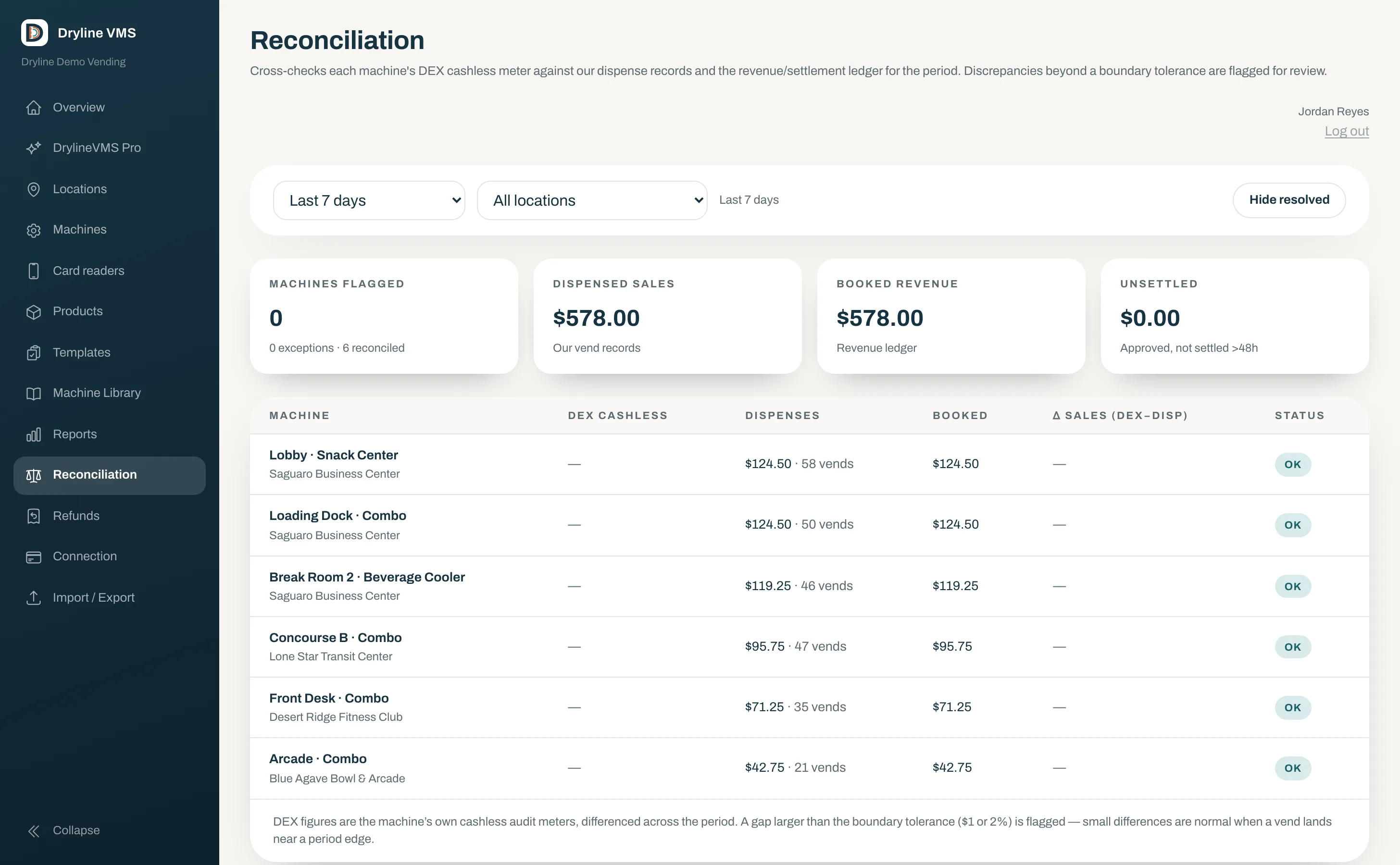
- Sales by day, top machines, top products
- Automatic DEX reads for reconciliation
- CSV and NAMA VDI 2.0 export
Common questions
Questions about adding a card reader
- Can any vending machine take a card reader?
- Most can. The machine needs to support MDB cashless, the standard interface on modern vending machines.
- Do I have to stop taking coins and bills?
- No. The reader shares the MDB bus with the coin mechanism and bill validator, and cash keeps working exactly as before.
- Does the machine need Wi-Fi?
- No. The reader connects over Wi-Fi or cellular, and a SIM is included, so it works at sites with no network of their own.
- Can I use my own payment processor?
- No. Rain Pay processing is part of the solution: it is what ties every card vend to the product in the slot and feeds reconciliation.
- What does it cost?
- The reader is a one-time purchase and the software is billed per machine per month, with no activation fee and no contract. Current prices are on the Pricing page.
Ready to put a reader on your machines?
Order the Rain Pay reader online, or book a 20-minute demo and see Dryline first.