AI-native vending management software
See the machine. Fill it by scanning. Reconcile it automatically.
Dryline VMS replaces the vending spreadsheet with the machine itself: every slot, its product, its price, and how full it is, with the sales and DEX records behind it checked against each other. AI Planogram Assist drafts the plan for a machine from your own sales.
Book a 20-minute demo
Tell us how many machines you run. We usually reply by email the same day.
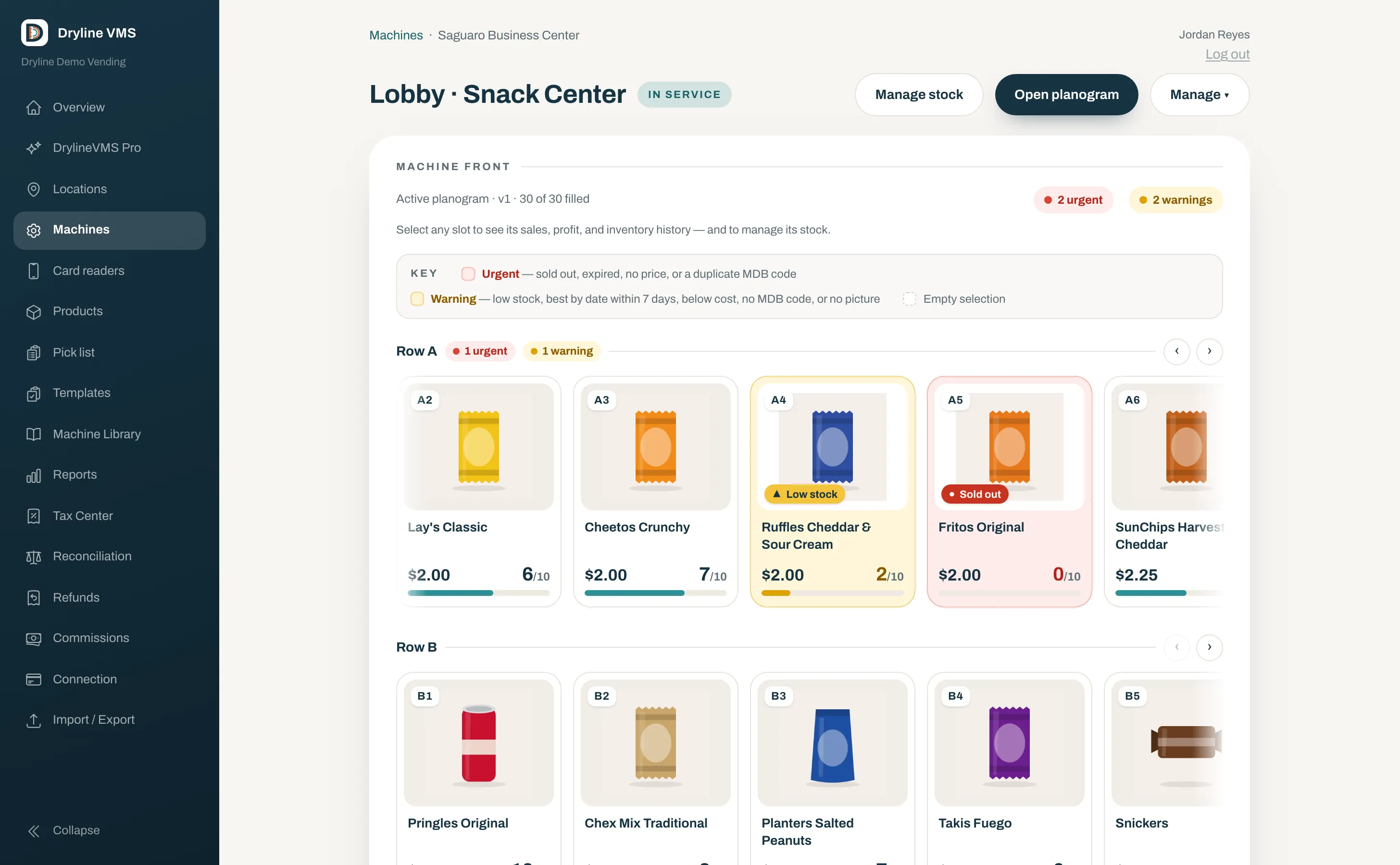
Today’s sales and stock at a glance.
The day’s numbers and what needs attention per venue or fleet-wide.
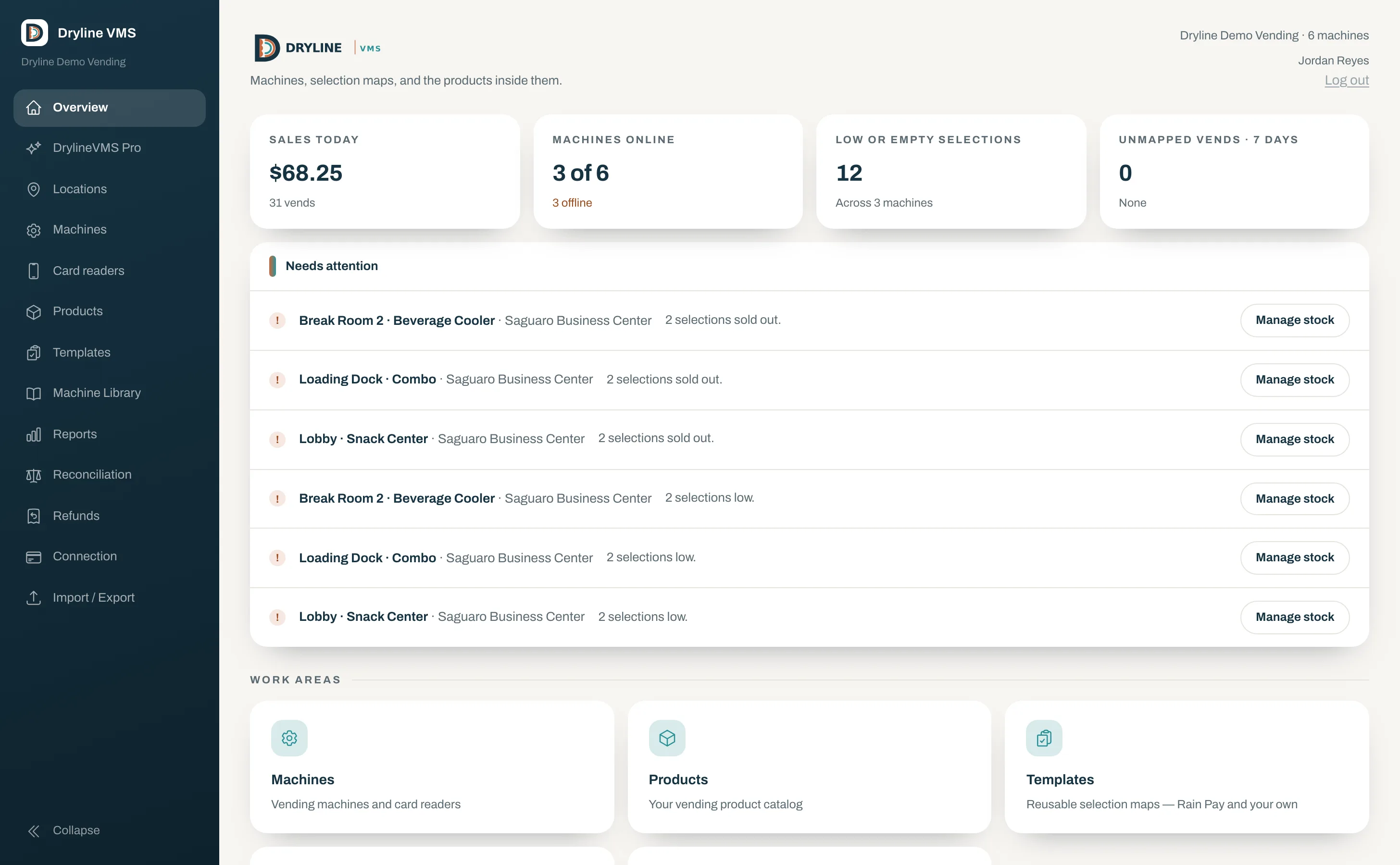
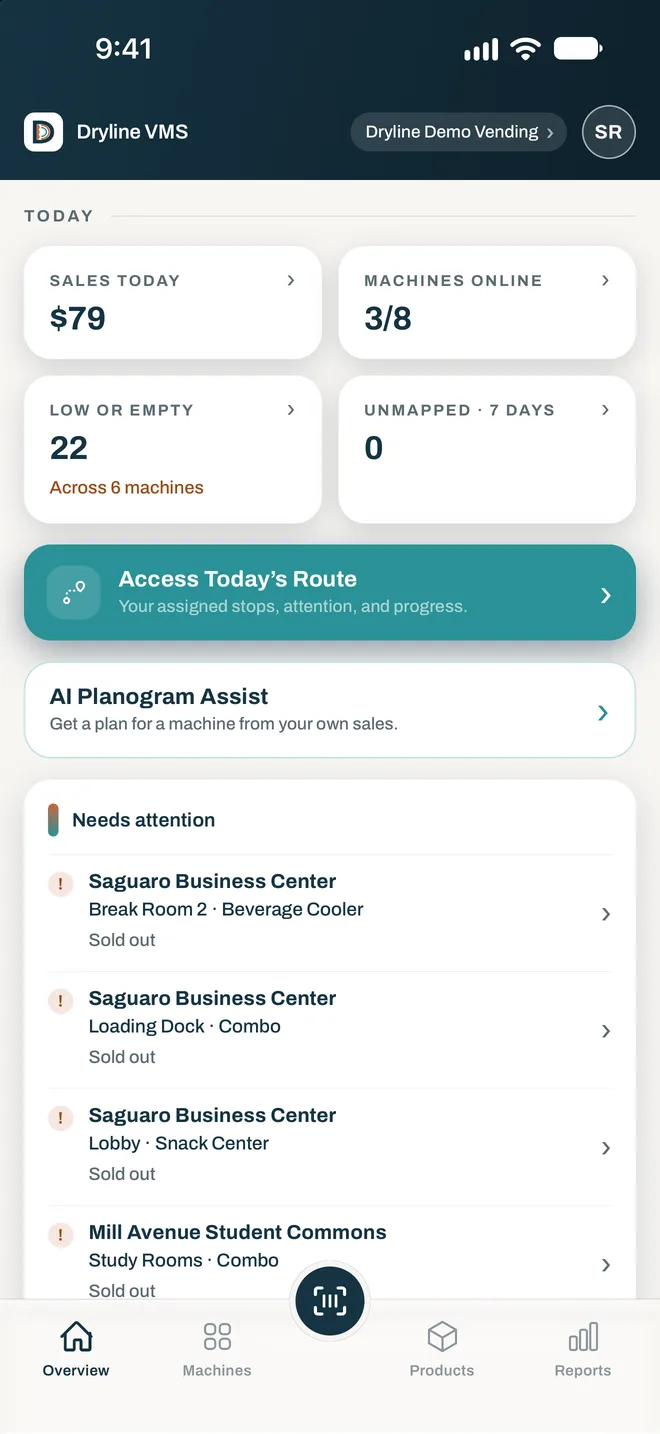
- Live sales and vends for today
- Which machines are online and which are not
- Low and empty selections across the fleet
- Needs-attention list with Manage stock one tap away
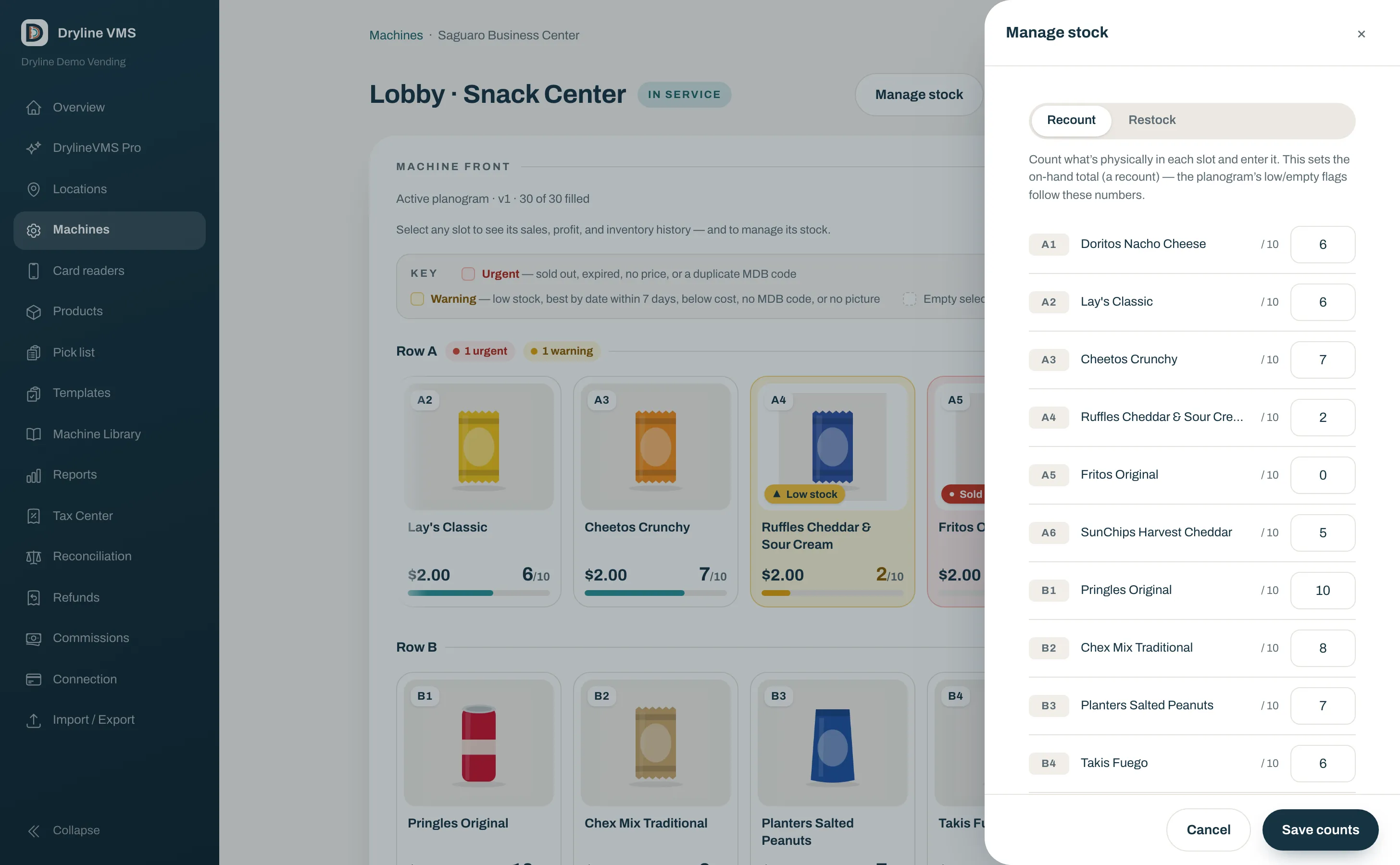
Scan a barcode and the slot fills itself.
Build a machine’s layout by scanning product barcodes.
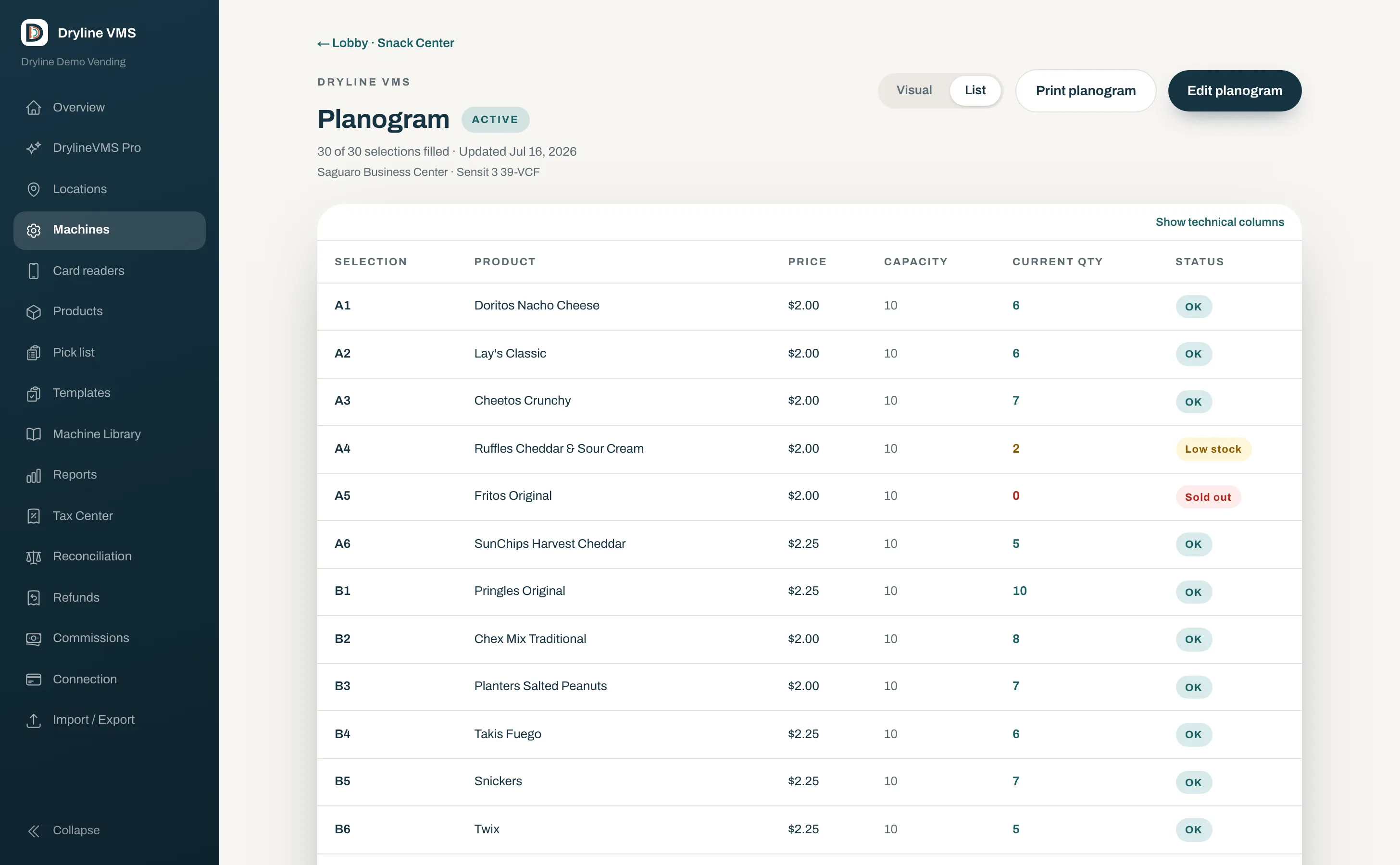
- Scan a barcode to fill a slot
- Templates you can reuse across machines
- Plain-English review before it’s live
- Version history with rollback
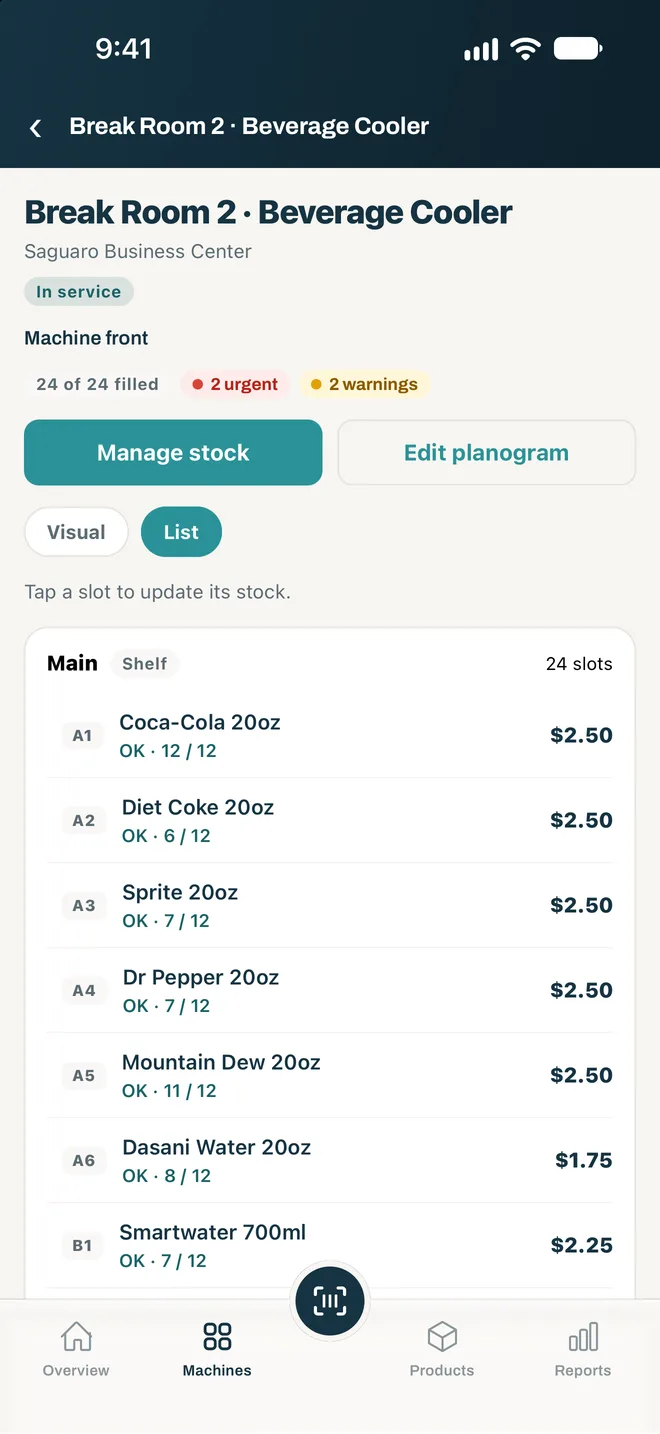
Every slot shows its real count.
Restock and recount from the machine front, in the console or in the operator app on site.
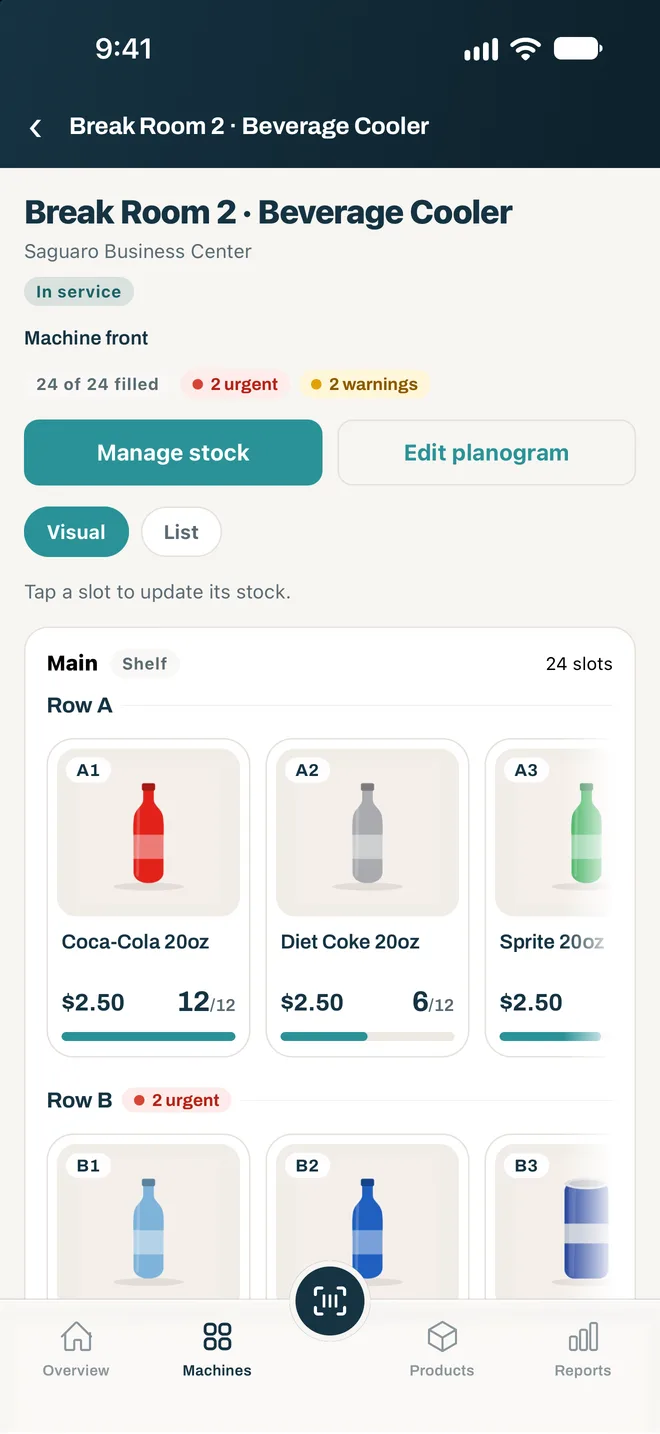
- Per-slot on-hand and capacity
- Restock or recount in a couple of taps
- Operator app with offline restocks that sync later
- Low and empty slots turn copper
Add a product once and place it on any machine.
Every product, and where it is placed across your machines, on one screen.
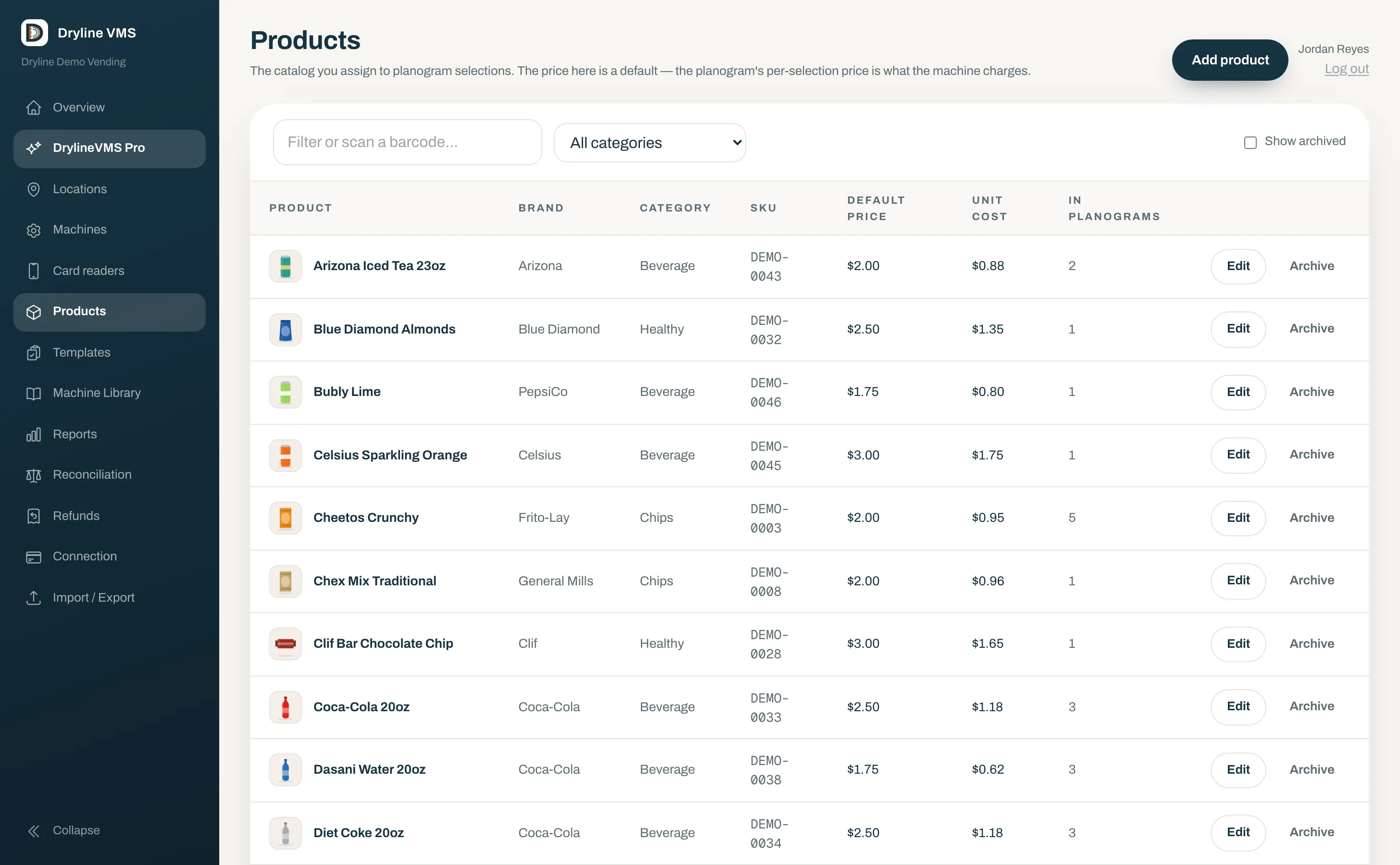
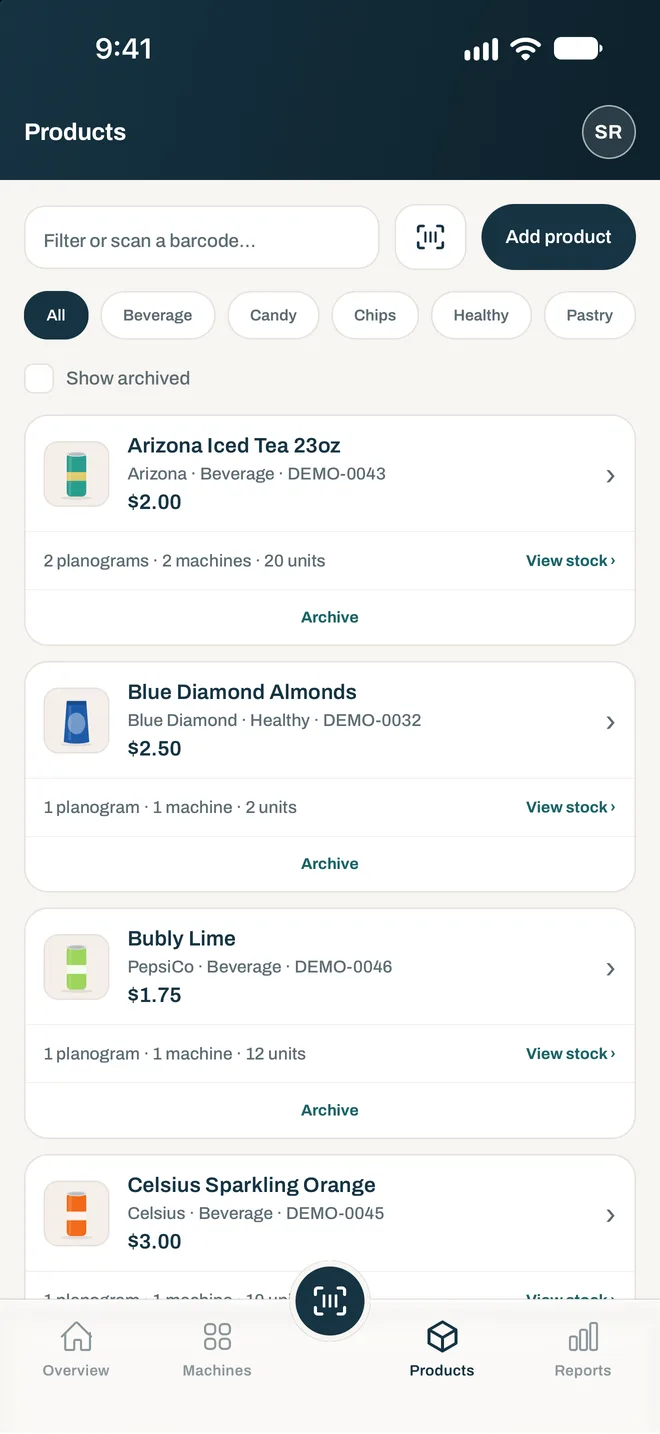
- Photos, brand, category, cost, and price
- Multiple GS1 barcodes per product
- Cross-machine placements per product
- Archive without losing history
Restocks stop being guesswork.
Sales by day, by machine, and by product, for today, the last 7 days, or the last 30.
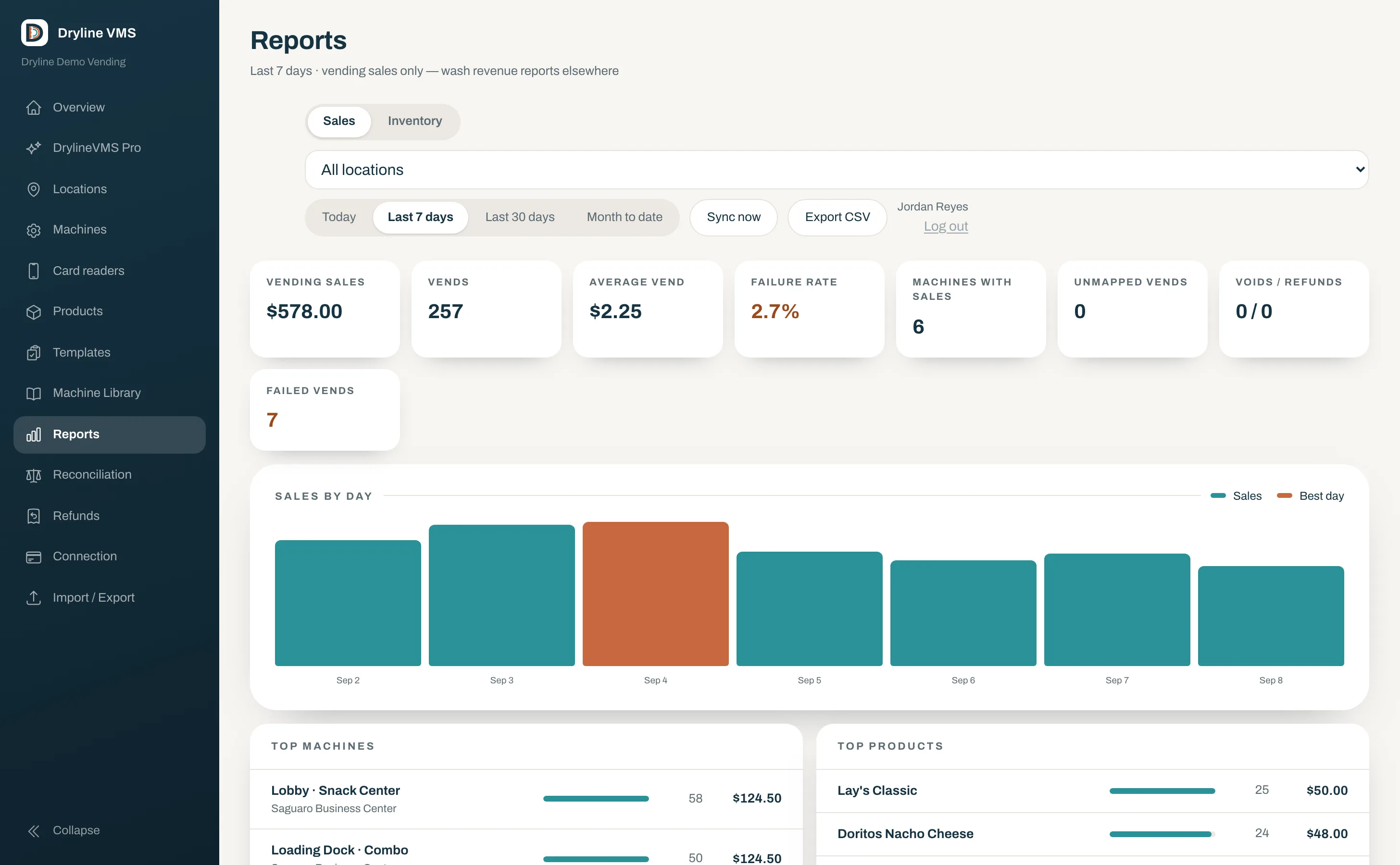
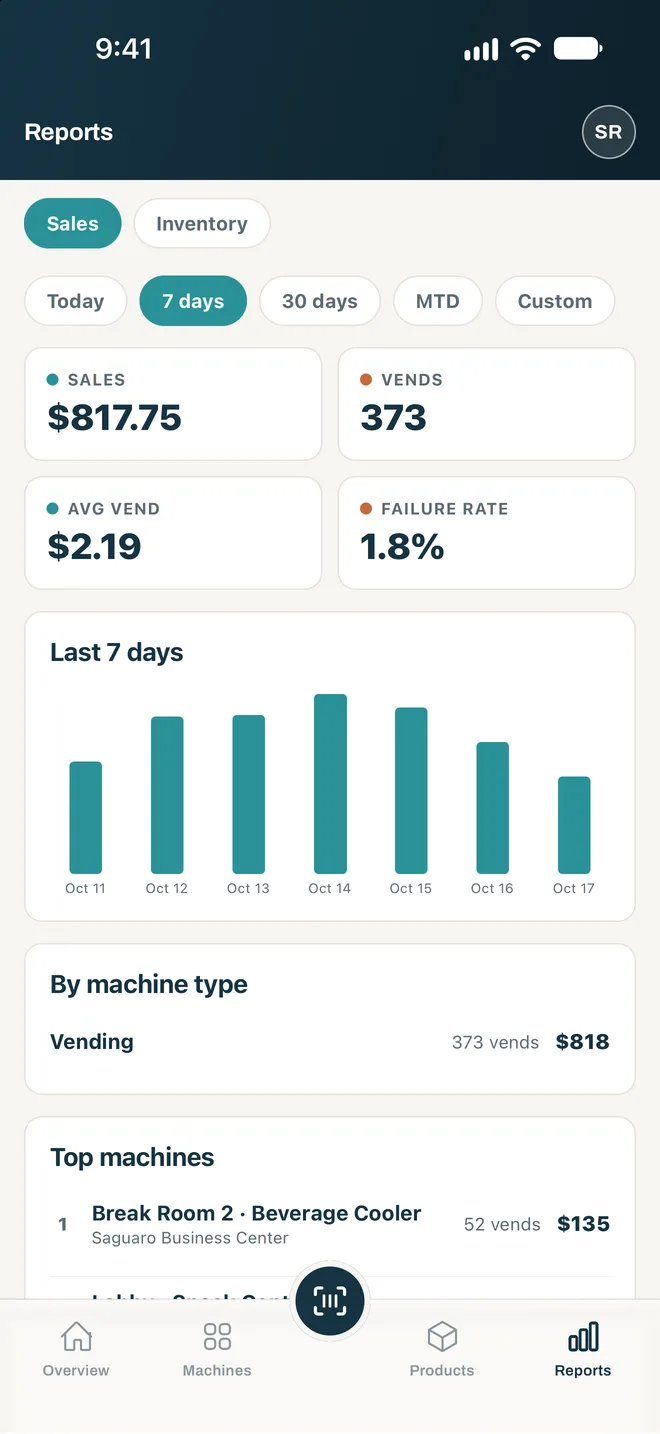
- Sales, vends, average vend, failure rate
- Top machines and top products in order
- Every card vend tied to a real product
- CSV and NAMA VDI 2.0 export
Dryline checks DEX, dispense, and ledger records against each other.
Three records reconciled live for every machine and period.
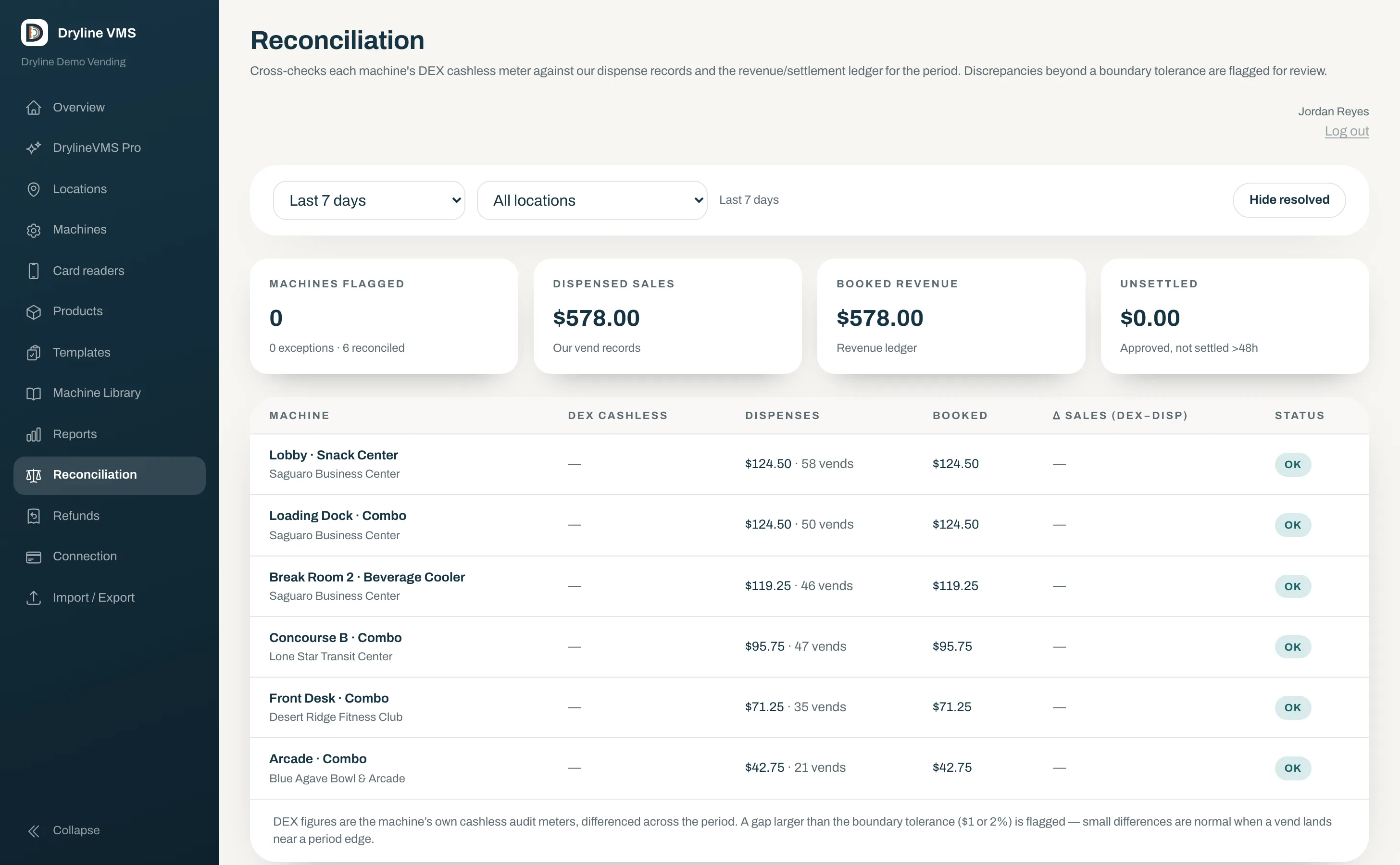
- DEX reads arrive automatically from the reader
- Dispensed versus booked for each machine
- Exceptions beyond tolerance flagged
- Included in Core
Tax worked out for every machine.
Dryline looks up the rate at each machine’s address and taxes each kind of product the way that state, county, and city tax it.
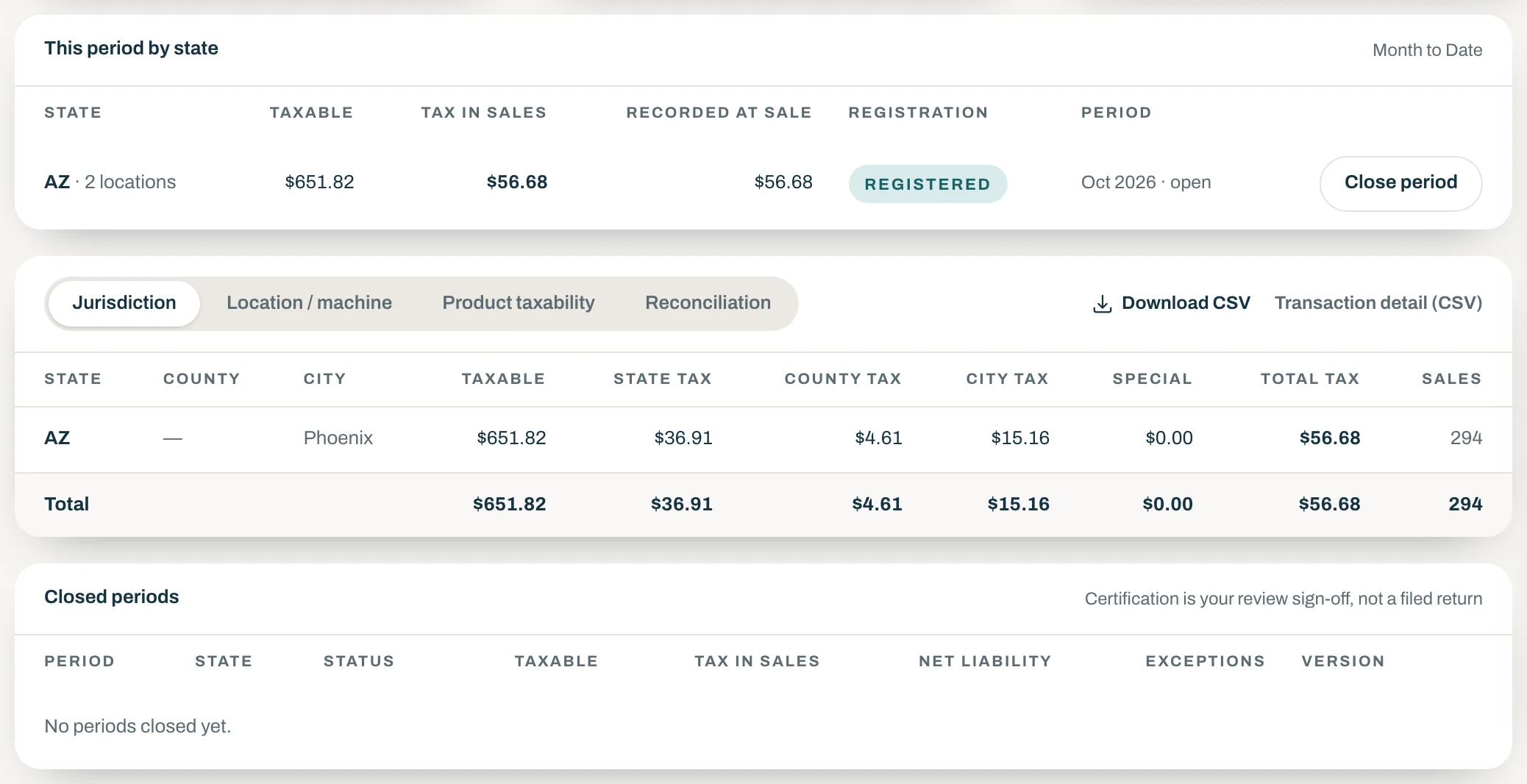
- Food and non-food categories
- State registrations on file
- Each period closed with its reports
- Included in Core
What Core includes.
What you need to see, record, reconcile, and restock a vending fleet, for one price per reader.
Alerts and a daily digest
An email when a machine goes dark or starts failing vends, and another when it recovers. Plus a once-a-day list of low and empty selections.
Pick list
What to bring to each machine, slot by slot, with a total to pull by product. Print it or download it.
Location commissions
Set what you pay each venue and see what is owed for any period, on cash and card sales after refunds and tax, with a statement to hand over.
Expiry dates
A best-by date on each restock and a shelf life per product. Slots holding stock that is out of date, or about to be, are flagged.
The rest of Core has its own section on this page:
Driving innovation into traditional vending
AI Planogram Assist plans the machine from your own sales.
Seamless technology and AI innovation for traditional vending. DrylineVMS AI Planogram Assist asks five short questions, then uses AI to draft a plan for the machine from your own products and sales. Nothing reaches a machine until you publish it.
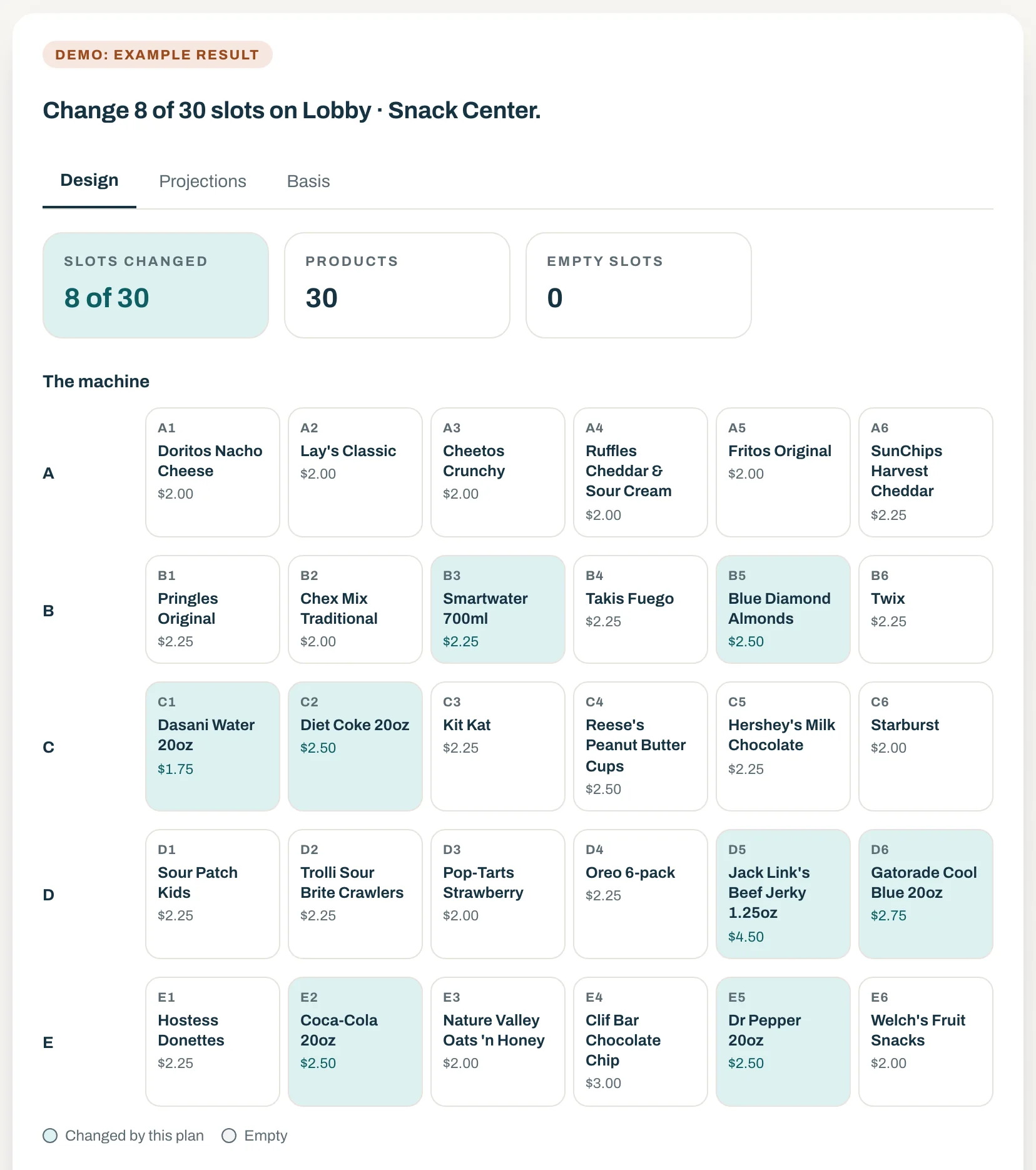
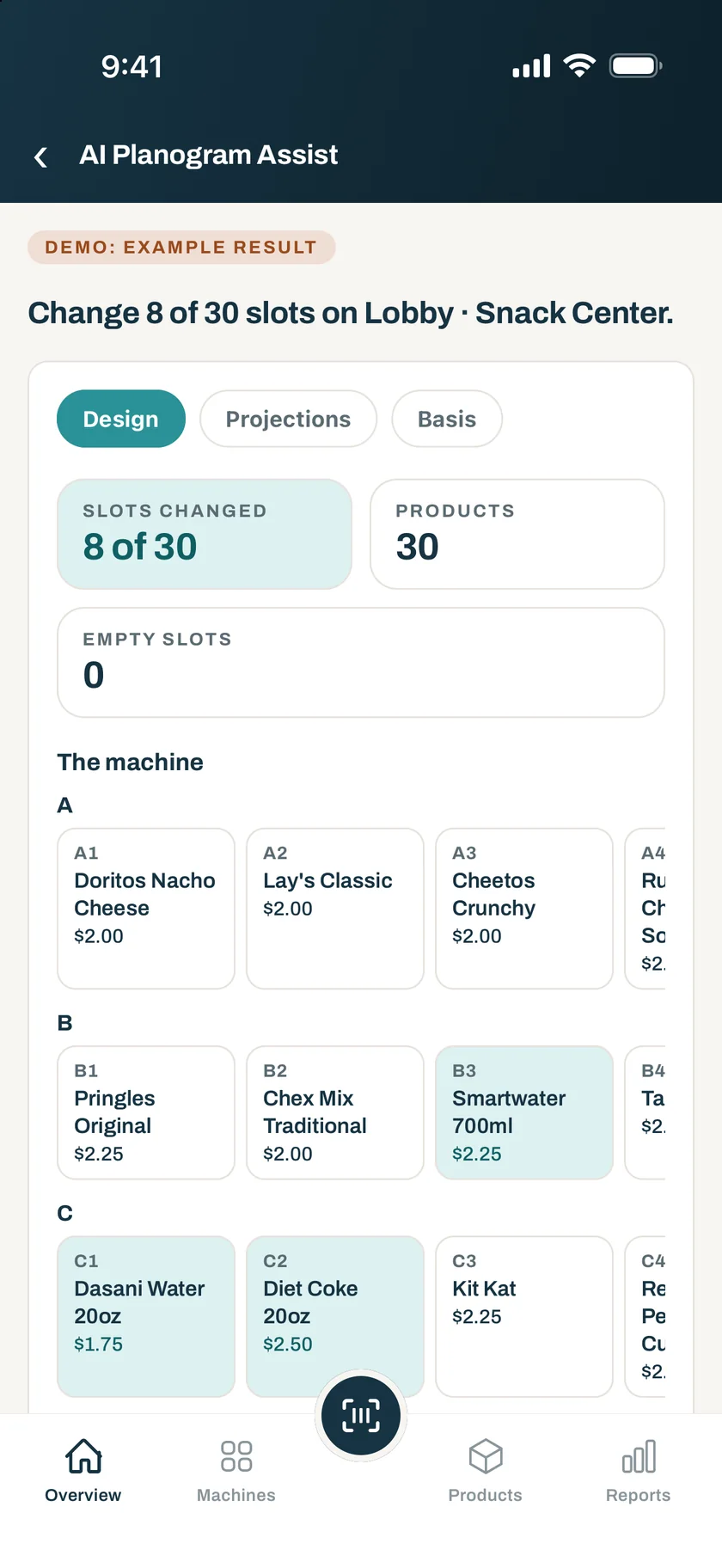
- Projections from your own sales
- The reason for every slot
- Changes in your own words
- On the web and in the app
Included in DrylineVMS Pro for owners and admins. To see it on sample machines first, tap Try the demo in the Dryline VMS app and open AI Planogram Assist. Get the app · More about Dryline’s AI
DrylineVMS Pro
All-in · replaces CoreWhen the fleet outgrows the clipboard.
Pro adds the supply-chain layer a growing fleet needs, for one price per reader.
AI Planogram Assist
Answer five short questions and AI drafts a plan for a machine from your own products and sales, with projections and the reason for every slot. You review it, ask for changes in your own words, and save it as a draft.
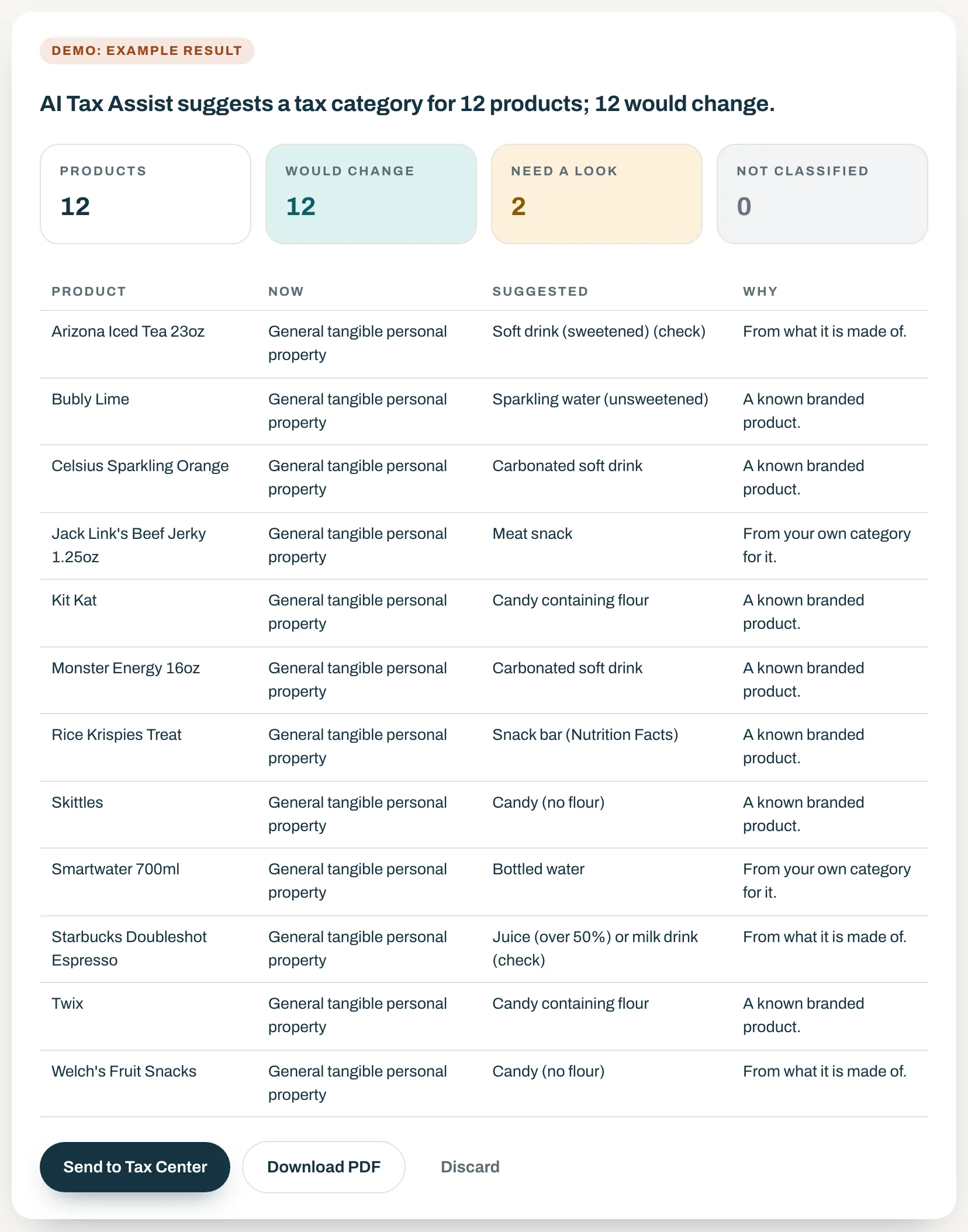
AI Tax Assist
AI sorts every product into its tax category, food or non-food, from what the product is. Dryline shows the rate it carries at each of your locations, and nothing changes until you accept it in the Tax Center.
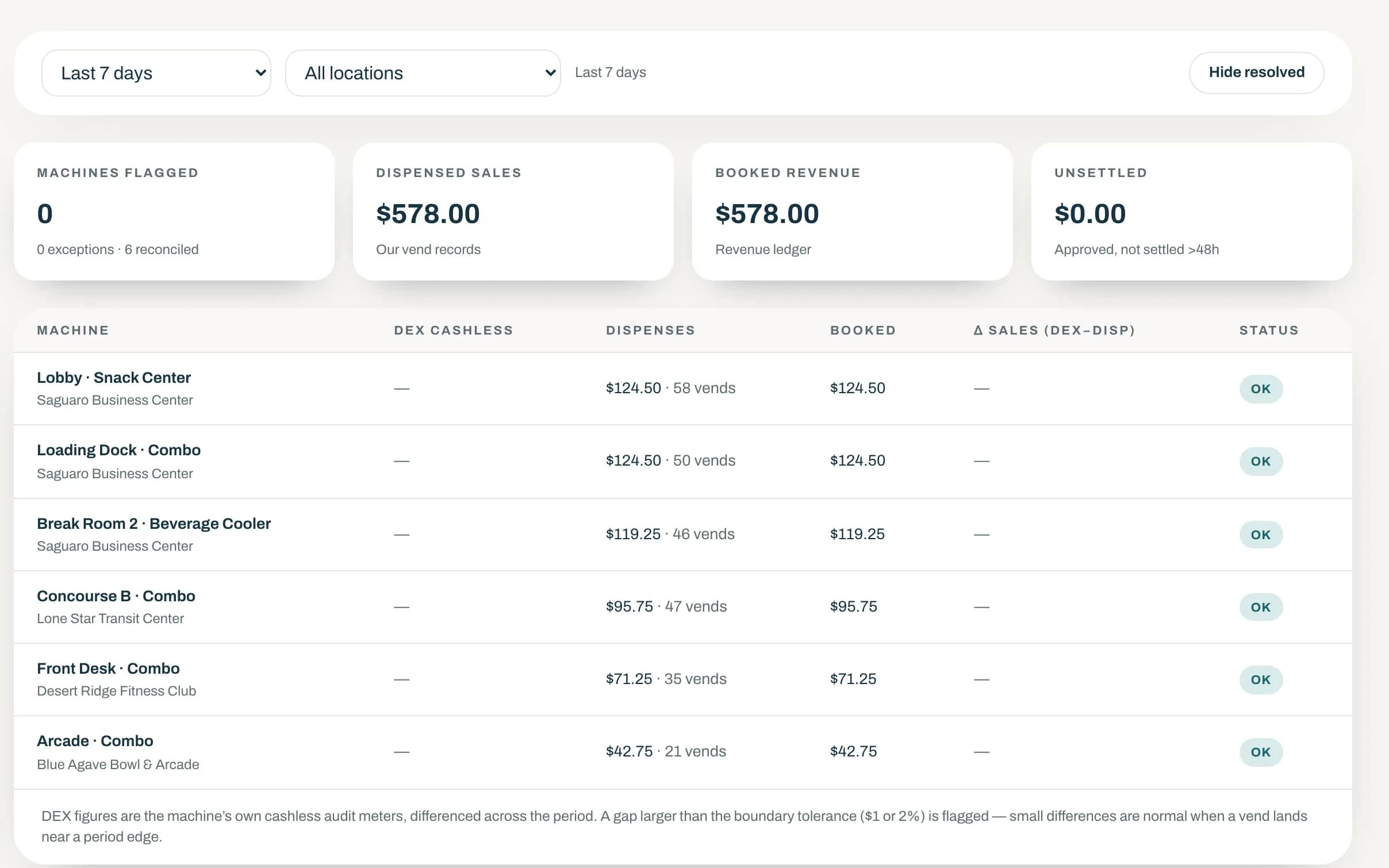
Exception workflow
Acknowledge, assign, and resolve reconciliation exceptions, with a note and an owner on each one.
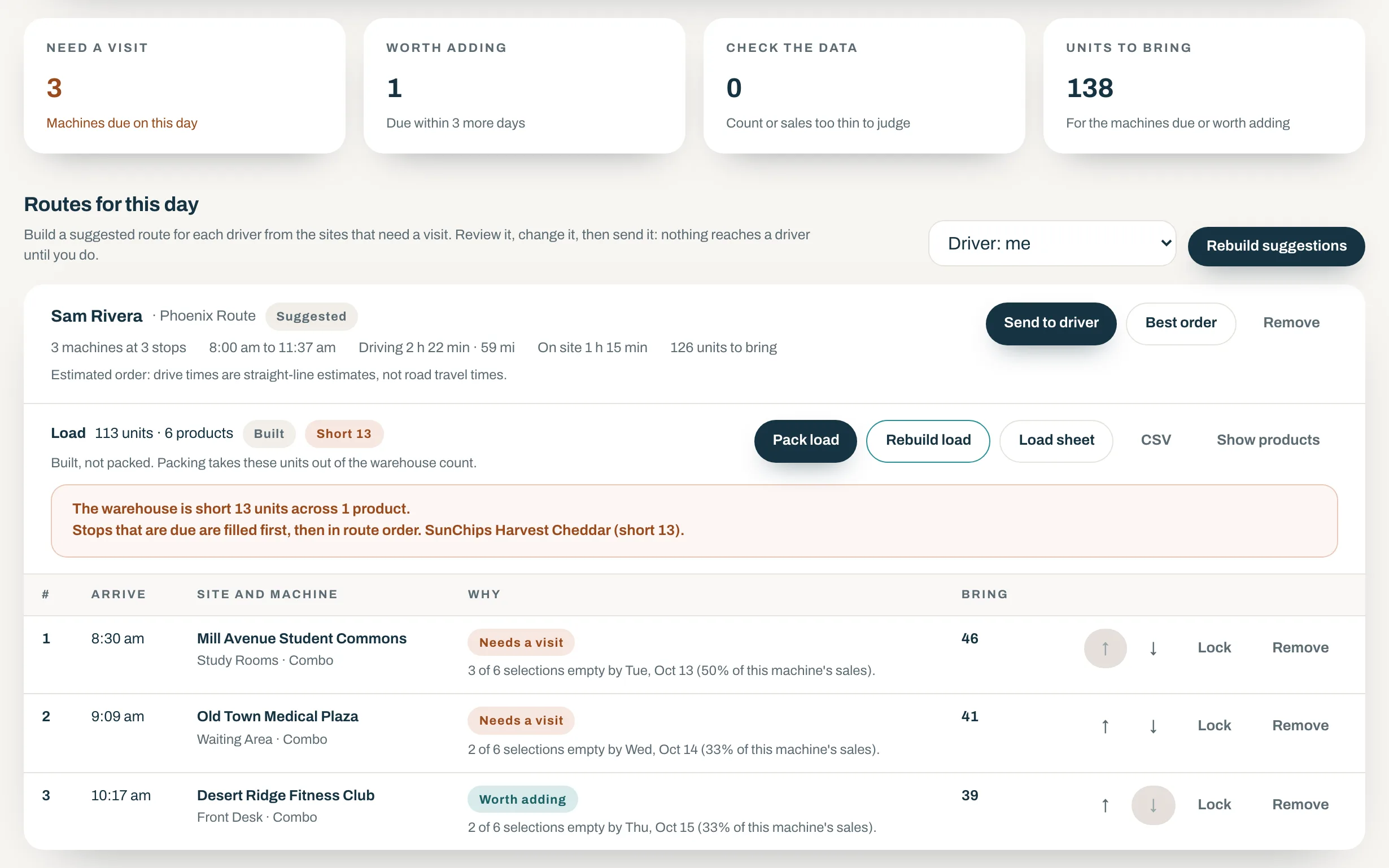
Route planner
Dryline lists the sites that need a visit and why, and builds each driver’s route with arrival times. You review it, send it to the operator app, and each visit is recorded there.
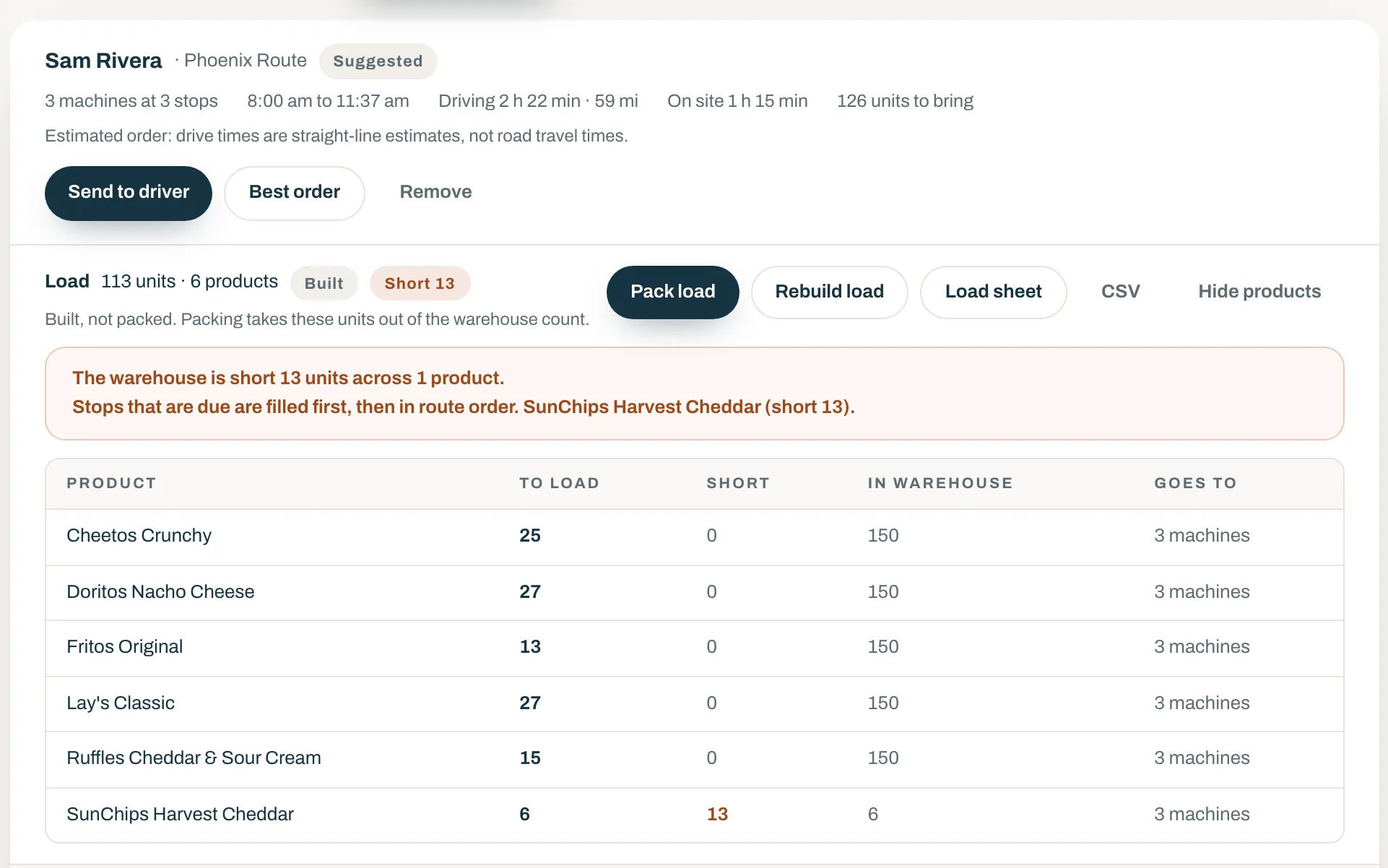
Central warehouse and prekitting
Track warehouse stock, build a route’s load in one step with any shortage listed, and transfer it to the slots as a restock.
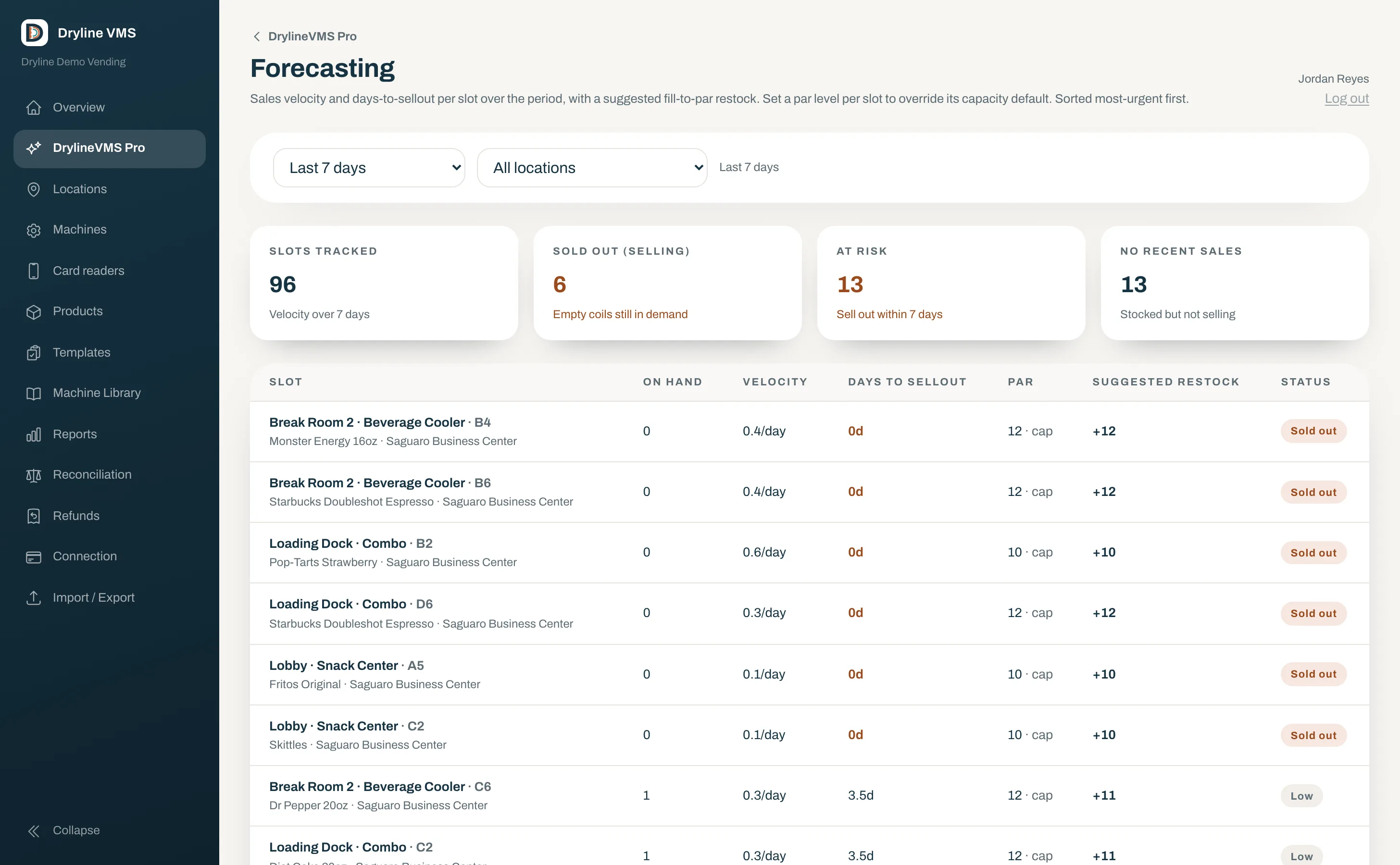
Forecasting and par levels
Velocity per selection, days to sellout, a suggested fill-to-par restock, and the riskiest slots sorted first.
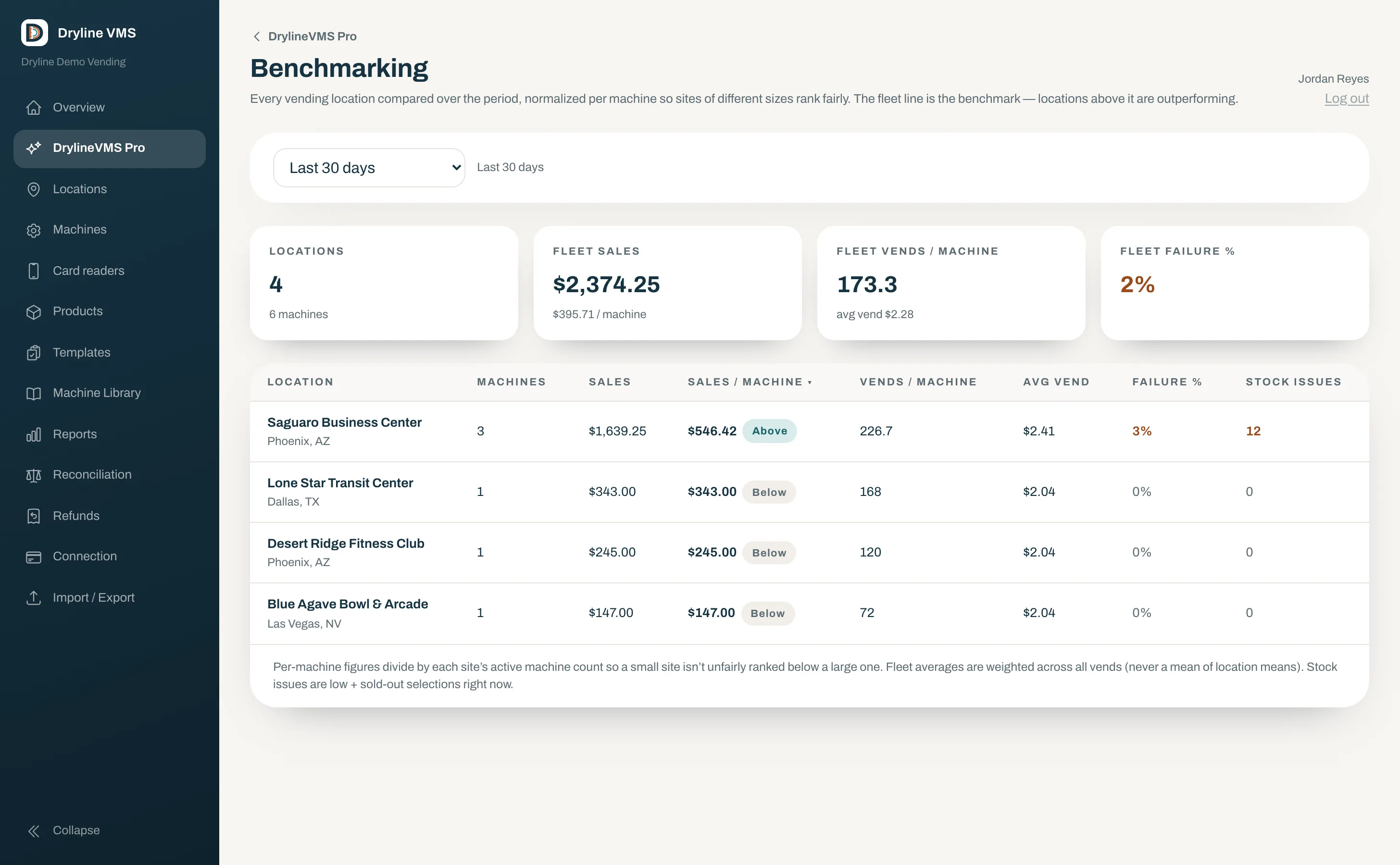
Cross-location benchmarking
Every venue compared per machine over the period and ranked against the fleet line.
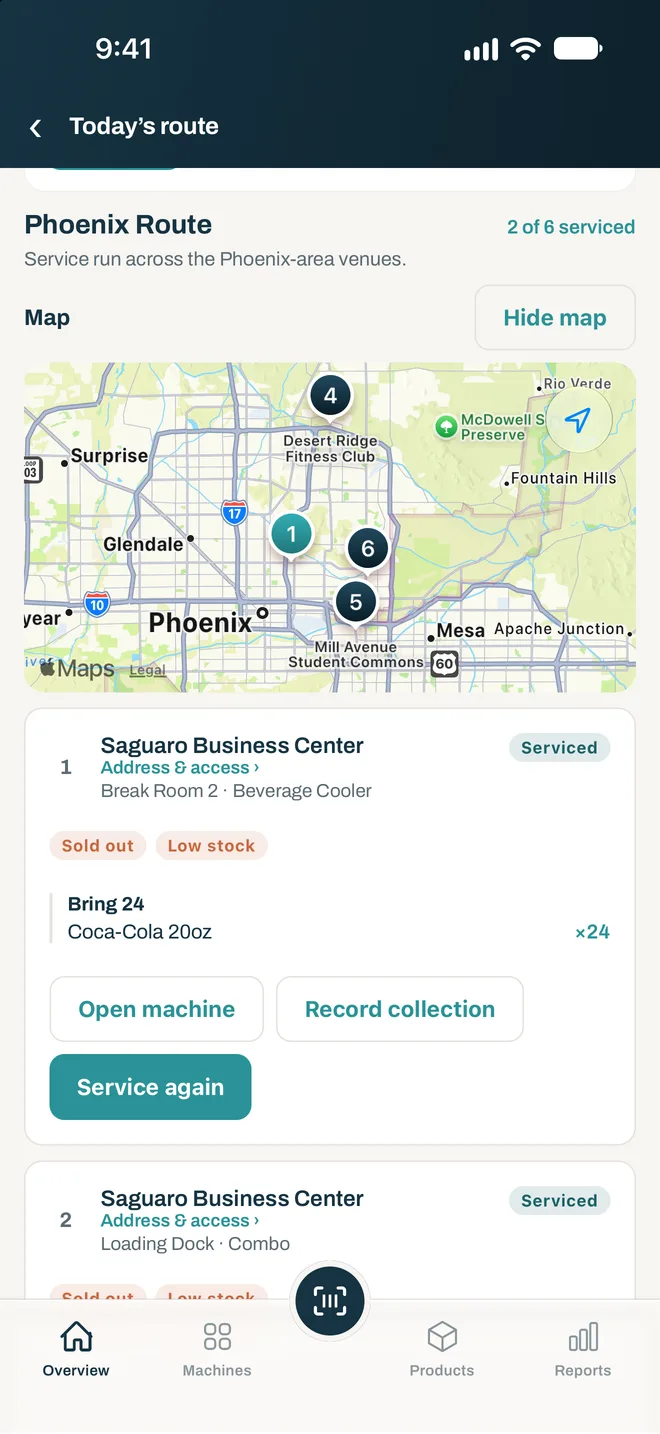
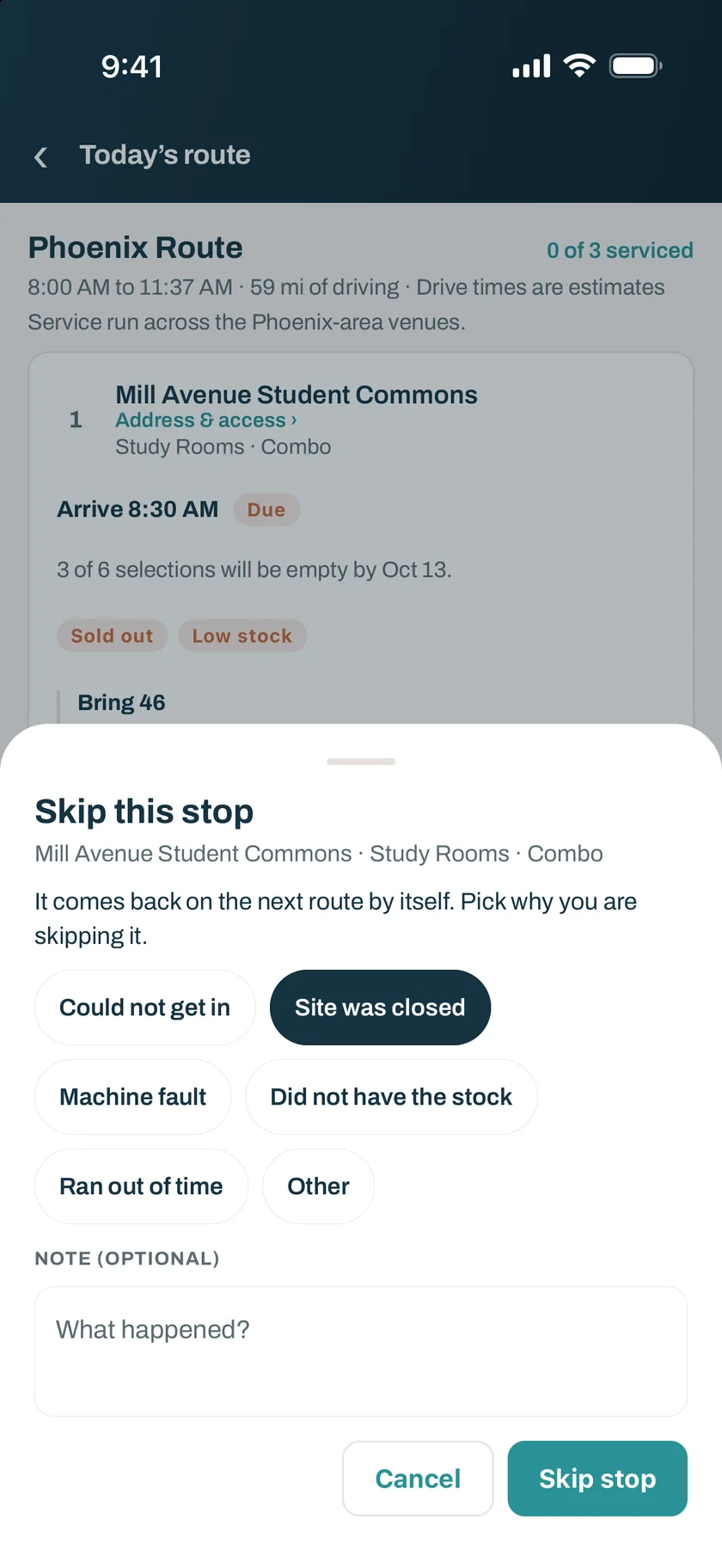
Drivers see the day’s route on their phone.
In the Dryline VMS app each stop says why it is on the route and what to bring to each machine. A skipped stop comes back on the next route by itself.
Cashless with Rain Pay
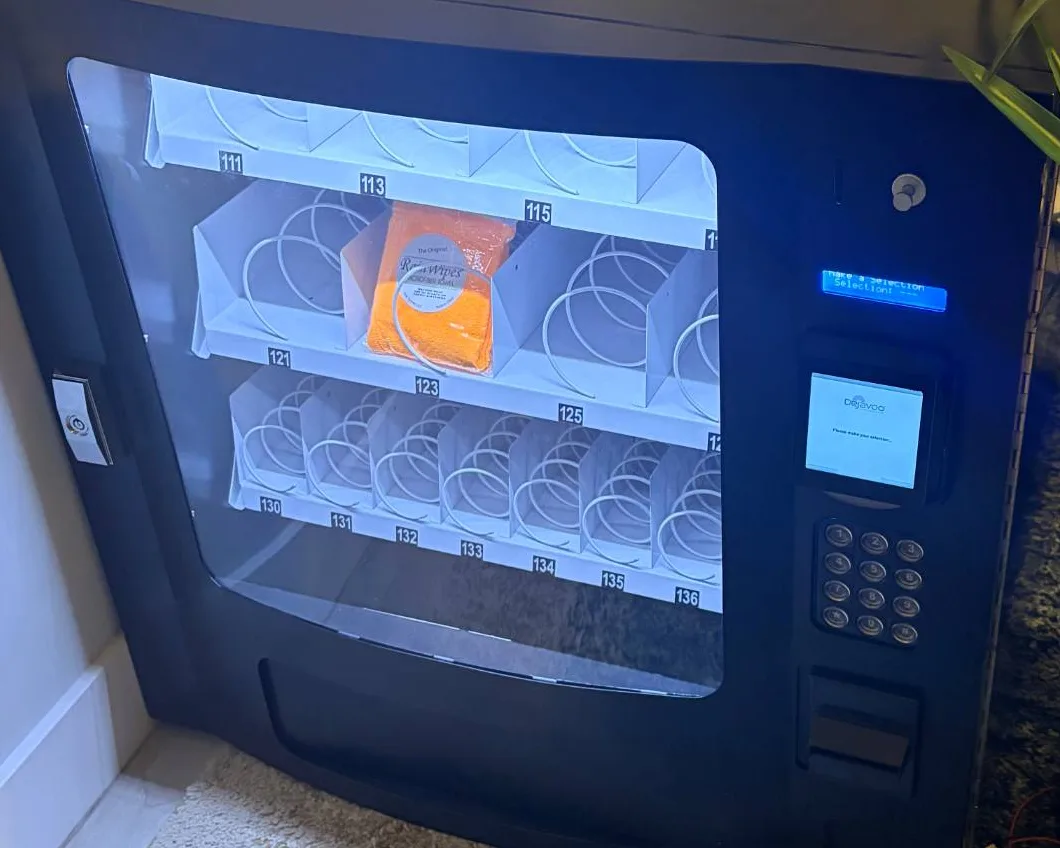
Cards on the machines you already run.
The Rain Pay reader connects over MDB cashless and adds tap, chip, and swipe alongside the coin and bill acceptors already on the machine. Every card vend lands in Dryline tied to the product in the slot, and the reader’s DEX reads feed reconciliation. Rain Pay processing comes with the solution at 5.95% per card sale.
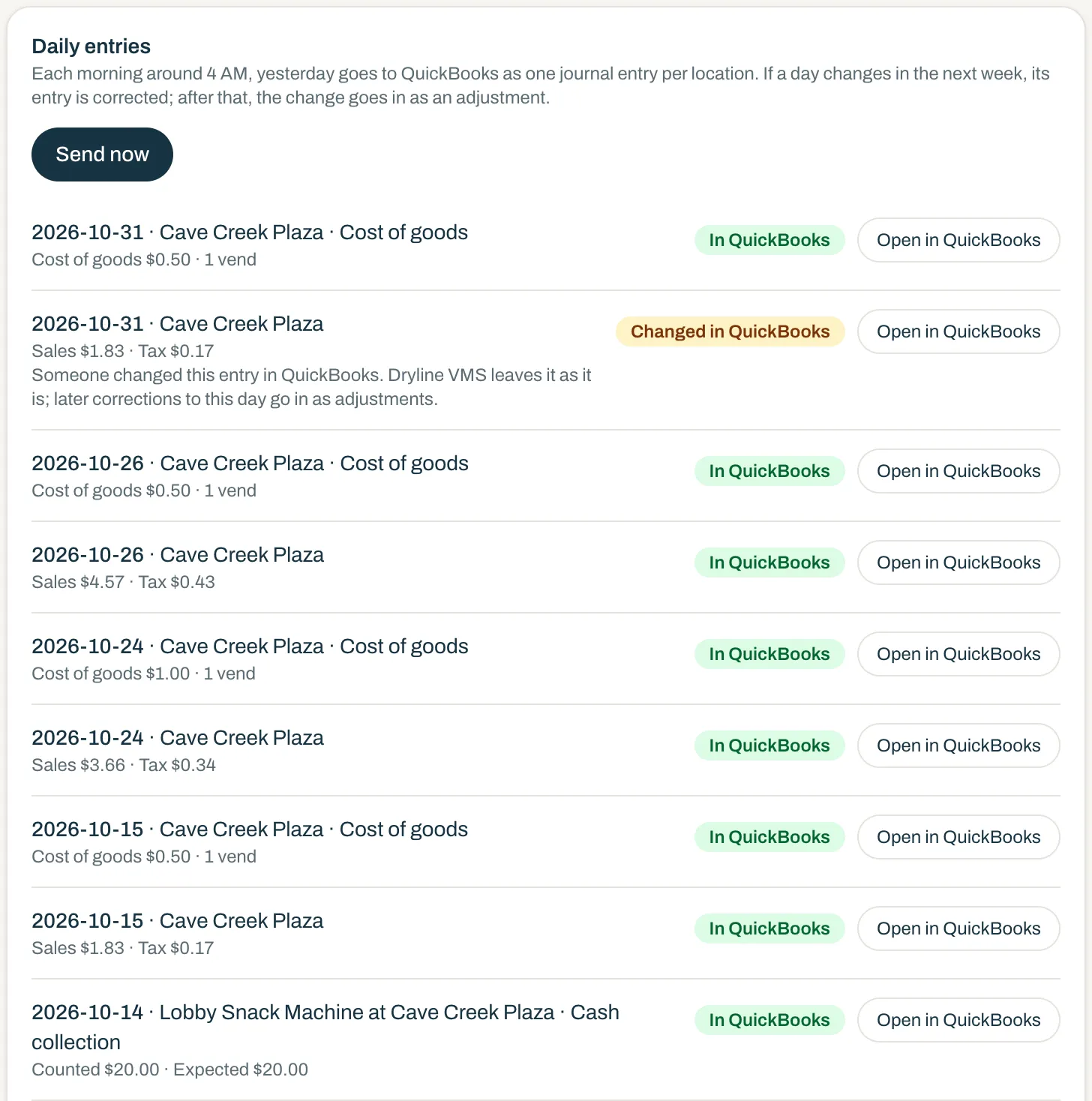
Your vending sales post to QuickBooks Online every morning.
Dryline sends your own QuickBooks Online company one journal entry per location for each day: card and cash sales, sales tax, and refunds, in the accounts you choose. Nobody types totals in from a report.
QuickBooks Online sync is $29 a month per account, for Core or Pro. Add it from your account shop and cancel anytime.
Card deposits that match
Card sales go to a clearing account on the day they happen. When the Rain Pay deposit reaches your bank feed, you record it as a transfer, so no sale counts twice and processing fees stand out on their own.
Sales tax set aside
The tax in every vend goes to its own liability account at the rate Dryline worked out for that machine, ready when your filing is due.
Cost of goods and cash collections
Turn on a daily cost of goods entry from the product costs you entered, and an entry for each cash collection you record with any over or short.
Matches your reports
Each day’s entry uses the same sales as your Dryline reports, so your books and your reports agree.
A seat for your bookkeeper
Give your bookkeeper a role with just the QuickBooks permissions, to see what posted and choose the accounts.
Told when something needs you
If an entry is changed or deleted in QuickBooks, or the connection needs signing in again, everyone who manages the sync gets an email saying what happened.
Late changes handled
If a day’s figures change after it was sent, Dryline corrects that entry for up to 7 days, then adds a separate adjustment, so a closed month stays closed. Edits your bookkeeper makes in QuickBooks are left alone.
QuickBooks and QuickBooks Online are trademarks of Intuit Inc. Intuit does not sponsor or endorse Dryline VMS.
Now on iOS and Android
Take Dryline VMS to the machine.
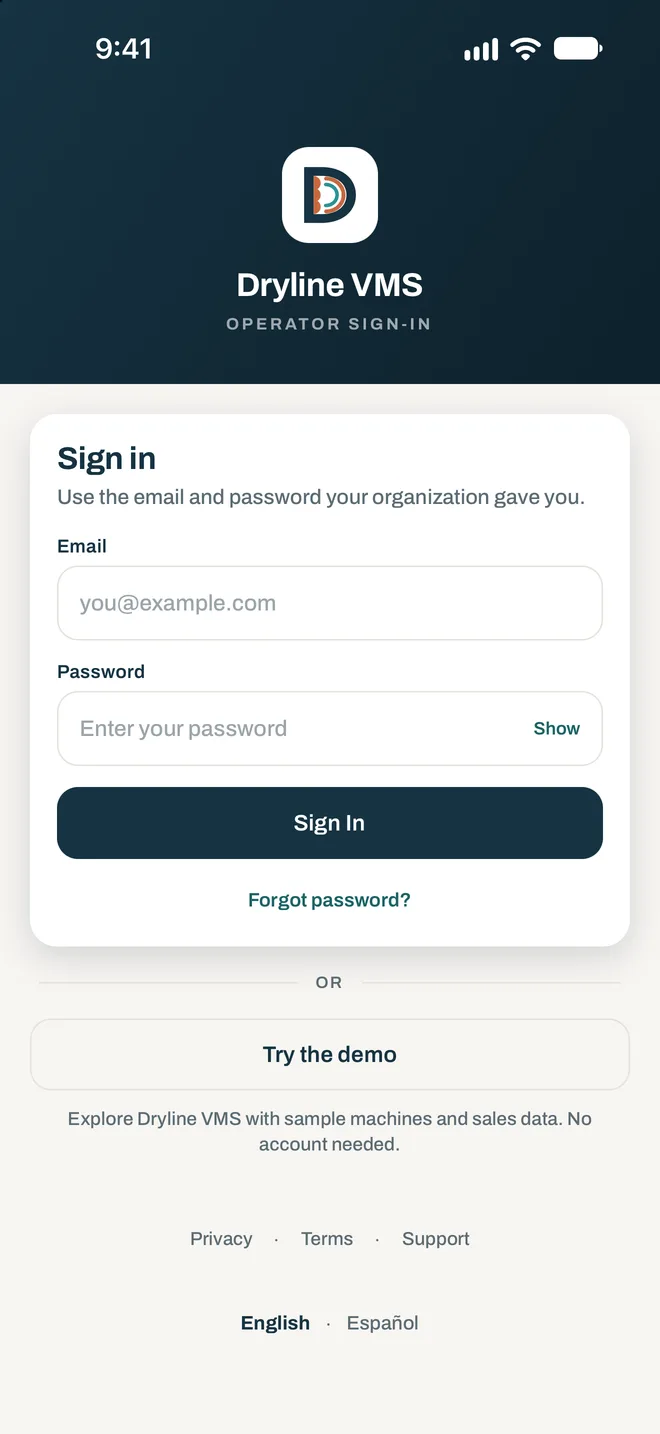
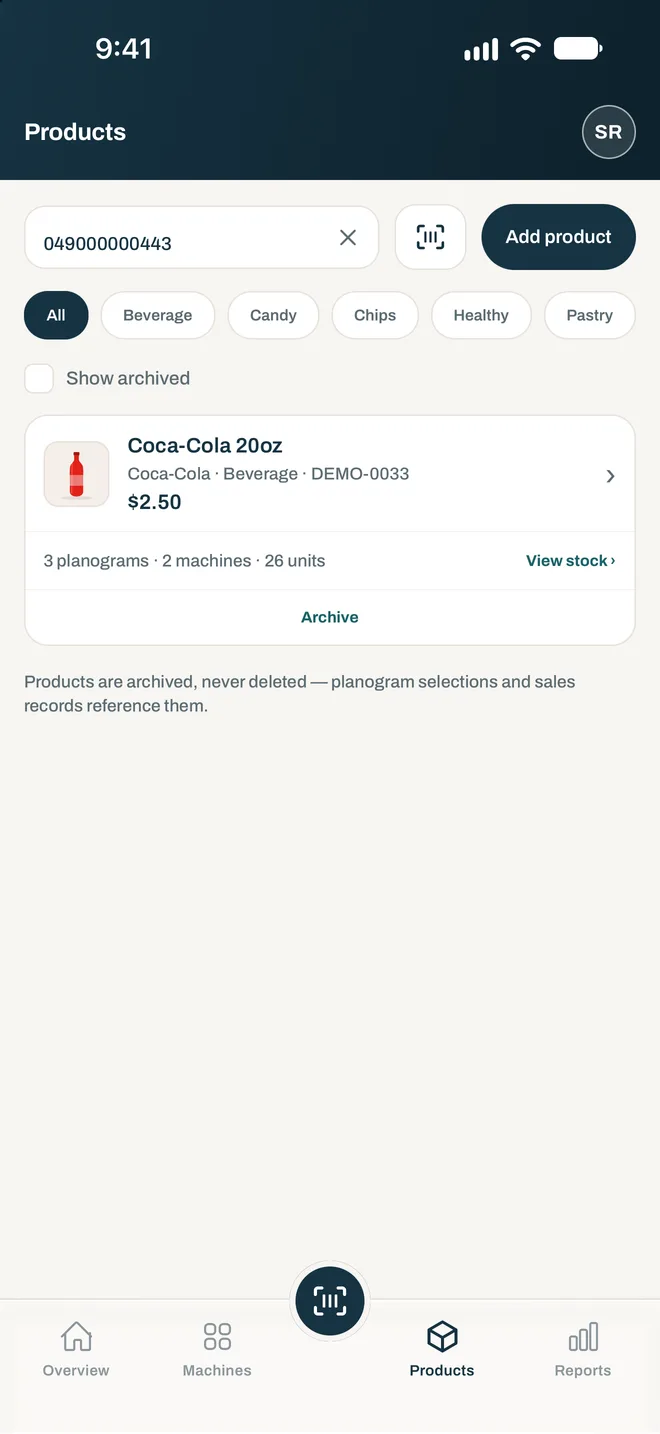
The Dryline VMS app puts the whole system in your pocket. Scan to restock, check every slot, and see reconciliation as it happens, right at the machine. Explore it in demo mode, or sign in with your operator account.
Questions about Dryline VMS
- What is Dryline VMS?
- Dryline VMS is vending management software for operators of unattended machines. It shows each machine as its real front, sets up planograms by scanning barcodes, tracks stock per slot, reconciles DEX, dispense, and settlement records, and reports sales tied to the product in each slot.
- Do I have to replace my machines?
- No. Dryline works with the machines you run today, provided they support MDB cashless, which most modern machines do. There is no retrofit for a machine that cannot take MDB cashless.
- What does reconciliation check?
- Three records for every machine and period: the DEX cashless meter reported by the machine, the dispense records from the reader, and the settlement ledger. Differences beyond a small tolerance are flagged as exceptions. Reconciliation itself is part of Core; the workflow to acknowledge, assign, and resolve exceptions is part of Pro.
- What is the difference between Core and Pro?
- Core is everything to see, record, reconcile, and restock: machine fronts, planograms, per-slot inventory, DEX and reconciliation, reports and exports, alerts, a pick list, location commissions, expiry dates, sales tax by location, and cashless. Pro adds the supply-chain automation a growing fleet needs: driver routes and service visits, a central warehouse with prekitting and transfers, forecasting and par levels, the exception workflow, and cross-location benchmarking. It also adds AI Planogram Assist and AI Tax Assist. Pro is all-in and replaces Core at $19.95 per reader per month.
- Do most vending operators use management software?
- Yes. In Automatic Merchandiser’s State of the Industry survey, 77% of vending operators used a vending management system in 2022, up from 61.5% a year earlier, and 47% used remote data collection.
- Is there a mobile app?
- Yes. The Dryline VMS operator app for iOS and Android handles restocks and recounts on site, scans barcodes with the camera or a Socket Mobile scanner, keeps working without coverage and syncs when it is back, and on Pro shows drivers their route for the day. Accounts are provided by your organization.
- How do I get started?
- Book a 20-minute demo and we will walk through the setup on real screens. You can also order the Rain Pay reader online; DrylineVMS Core is added to the order automatically.
- Does Dryline use AI?
- Yes. Dryline uses large language models (LLMs) from both Anthropic and OpenAI. In DrylineVMS Pro, AI Planogram Assist drafts a planogram for a machine from your own products and sales, and AI Tax Assist sorts each product into its tax category. Every price, projection, rate, and reason is worked out by Dryline from your own data, and nothing changes until you publish a plan or accept a category. What is sent to an AI provider is product and sales information, never customer or payment data.
- Does Dryline work with QuickBooks?
- Yes, with QuickBooks Online. You connect your own company through Intuit’s sign-in, and Dryline asks only for access to accounting data. It works with every QuickBooks Online plan for a company that keeps its books in US dollars. QuickBooks Desktop is not supported.
See it on your machines in 20 minutes
Tell us a little about your setup and we will walk you through Dryline VMS and Rain Pay on real screens.