Switching
Move to Dryline without starting over.
Bring your locations, machines, products, and layouts across from your current system. Our team runs the import, and you approve a preview before a single record goes live.
How switching works
Three steps, and we do the heavy lifting.
No rebuild by hand, no data engineering on your side. You send an export; we bring it across; you go live.
Setup review
Tell us what you run today and what it can export, and we will tell you exactly what comes across. A real answer from our team, not an automated guess.
We bring your data across
Send a NAMA VDI 2.0 or CSV export and our team imports your locations, machines, products, and layouts. You approve a preview before anything is written, with any ambiguous item flagged for you.
Readers on, go live
The Rain Pay reader connects over MDB cashless, DrylineVMS Core is added per machine, and you are live and reconciling from day one.
What comes across
Your data, brought across.
We import from two formats: a NAMA VDI 2.0 file, the vending industry’s interchange standard, or a CSV you fill from a template. Here is exactly what each one carries.
| Your data | From VDI 2.0 | From CSV |
|---|---|---|
Products and catalog Names, prices, cost, barcodes, and categories | Included | Included |
Locations Your venues, addresses, and routes | Included | Included |
Machines Each machine and its configuration | Included | Included |
Planograms Slot-by-slot machine layouts | Included | |
Opening stock Current counts per slot, as your starting inventory | Included | |
Past sales history Stays in your current system; Dryline reporting starts at go-live |
You approve a preview of every record before anything is written, and any item that cannot be matched cleanly — a layout whose machine is ambiguous, a row missing an ID — is flagged for you to decide, never guessed.
Coming from Nayax, Cantaloupe/Seed, or a spreadsheet?
If your system exports a NAMA VDI 2.0 file or a CSV, we import it directly. If you are not sure what it exports, that is what the setup review is for — send us what you have and we will map it, and tell you up front if anything cannot come across.
Where it lands
The same Dryline, already set up.
Once your data is in, it is the Dryline you saw on the tour: every machine as its real front, your catalog and barcodes, your layouts, and reconciliation running — nothing to rebuild by hand.
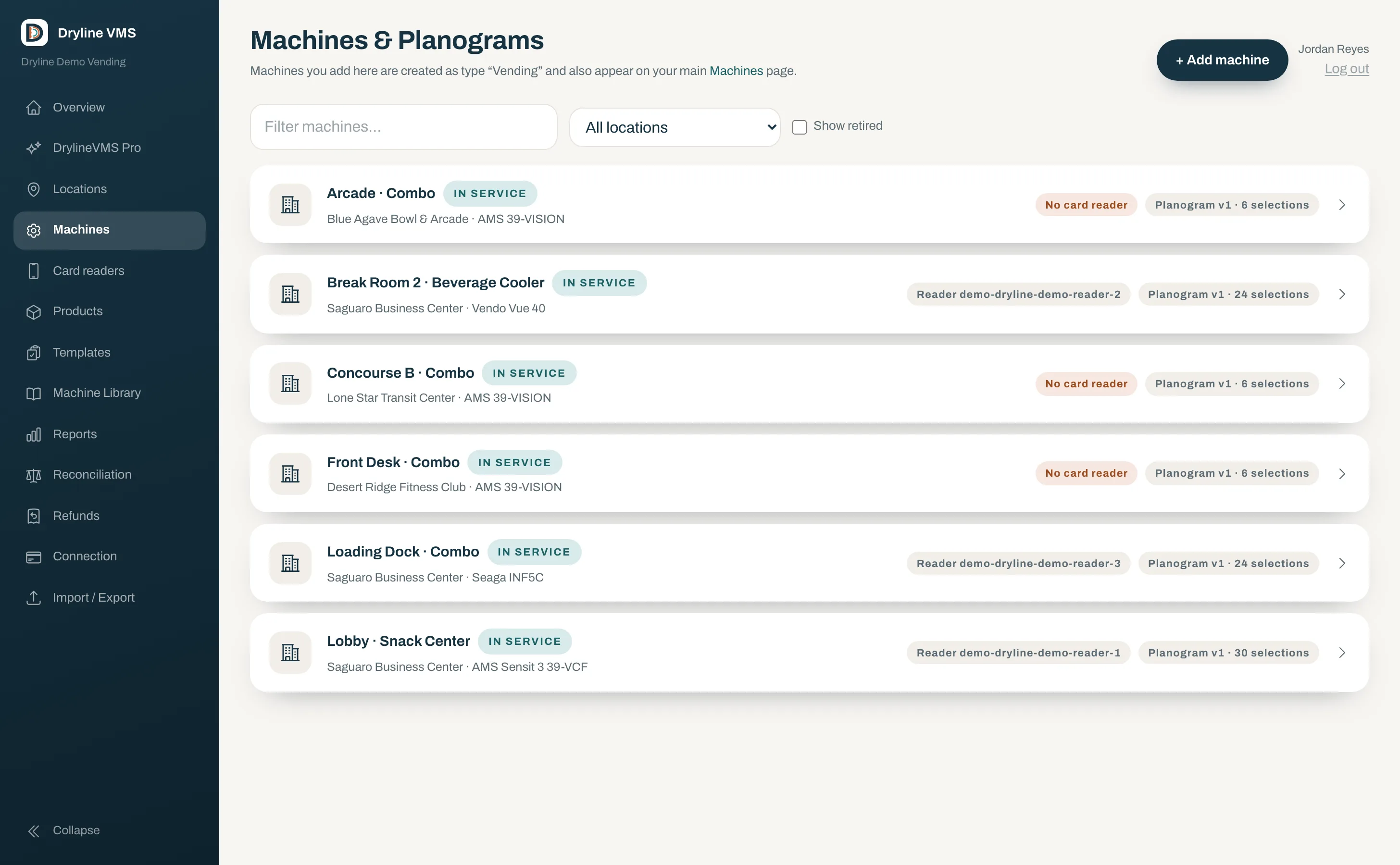
- Locations, machines, and routes in place
- One product catalog with barcodes and prices
- Machine layouts ready to restock against
- DEX and reconciliation live from go-live
No lock-in
Your data stays yours.
Dryline exports your products, locations, and machines back out as a NAMA VDI 2.0 file or a CSV. You are never trapped by the tool you chose — the same standard that brings you in takes you anywhere.
Standards-based, both ways
The same NAMA VDI 2.0 format for import and export, so your data is portable by design.
No proprietary trap
Products, locations, and machines export to VDI 2.0 or CSV whenever you ask.
Month to month
No contract and no activation fee; DrylineVMS Core is billed per active machine.
Setup review
Tell us what you run.
We reply with exactly what comes across for your setup. A real answer from our team, not an automated verdict. No slides, no pressure.
- The Rain Pay reader works with most MDB machines
- We map what your current system can export
- You get a plan and a timeline before you commit
Common questions
Switching, answered
- Do I have to replace my machines?
- No. Dryline works with the machines you run today, provided they support MDB cashless, which most modern machines do. The Rain Pay reader connects over the MDB bus alongside the coin and bill acceptors already there. There is no retrofit for a machine that cannot take MDB cashless.
- What can you bring across from my current system?
- Your locations, machines, and products from a NAMA VDI 2.0 file or a CSV, plus your machine layouts (planograms) and opening stock counts from a NAMA VDI 2.0 file. You approve a preview of every record before anything is written, and any item we cannot match cleanly is flagged for you rather than guessed.
- Can you import my sales history?
- No. Past sales stay in your current system; reporting in Dryline starts fresh at go-live. We bring across the setup you run on day one — locations, machines, products, layouts, and current stock — not historical transactions.
- My system does not export NAMA VDI 2.0 or CSV. Now what?
- That is exactly what the setup review is for. Tell us what you run — a spreadsheet, Nayax, Cantaloupe/Seed, or another system — and we will look at what it can export and map it to a NAMA VDI 2.0 or CSV import. If something cannot come across cleanly, we tell you before you commit.
- Who does the import?
- We do. You send us an export, our team runs it through the importer, and you review a preview and approve it before it goes live. There is nothing to install and no data engineering on your side.
- How long does switching take?
- It depends on how many machines you run and what your current system can export, so we do not quote a fixed number. The setup review gives you a concrete plan and timeline for your operation before you start.
Not sure what your system can export?
Send us what you run today and we will tell you exactly what comes across, on a 20-minute call. No slides, no pressure.